
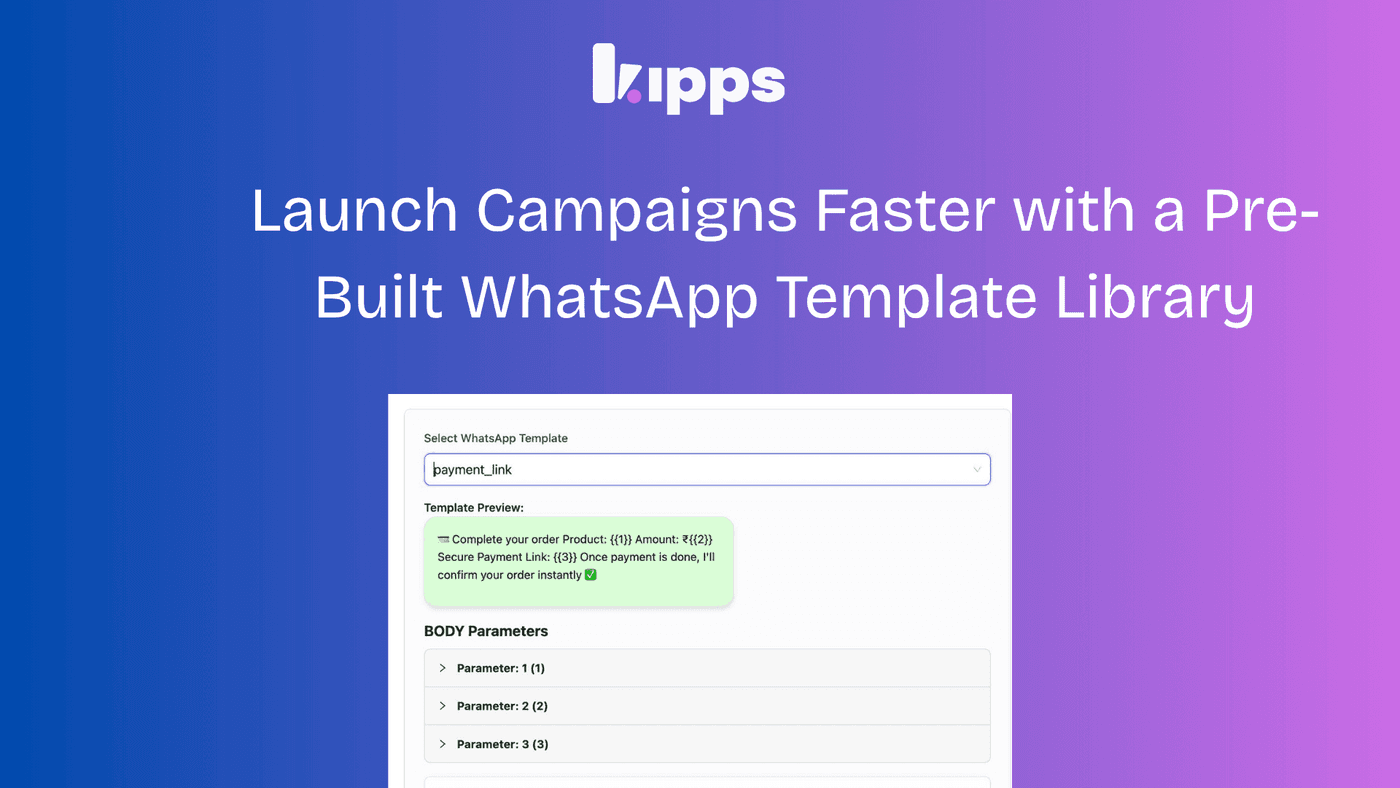
Launch Campaigns Faster with a Pre-Built WhatsApp Template Library

Launch Campaigns Faster with a Pre-Built WhatsApp Template Library
We’ve introduced a Template Message Library to help teams create, standardize, and deploy WhatsApp templates faster—without compromising on quality or compliance.
This update is designed to reduce creation time, eliminate formatting errors, and enable non-technical teams to launch campaigns with confidence.
What’s New
Pre-Built Templates for Common Business Use Cases
Access a library of ready-to-use templates categorized by:
- Marketing — Promotions, offers, announcements
- Utility — Updates, reminders, notifications
- Authentication — OTPs and verification messages
Each template is designed to match real business scenarios, so teams don’t have to start from scratch.
Instant Template Creation with One-Click Prefill
Selecting a template automatically fills:
- Template structure
- Message content
- Buttons and actions
This allows teams to go from idea → ready template in seconds.
Flexible Customization
Even with pre-built templates, teams retain full control:
- Edit messaging, tone, and variables
- Customize CTAs (buttons, links, phone actions)
- Adapt templates for different campaigns or audiences
Visual Preview for Faster Decision-Making
Templates now include previews of:
- Message body
- Footer
- Buttons (including links and actions)
This helps teams quickly select the right template without trial and error.
Why This Matters for Your Business
Faster Campaign Launches
Reduce the time required to create and approve templates, enabling teams to launch campaigns more quickly.
Consistent Brand Communication
Standardized templates ensure messaging stays aligned across teams and campaigns.
Reduced Operational Errors
Predefined formats minimize formatting issues and template rejections.
Lower Dependency on Technical Teams
Non-technical users can independently create and manage templates.
Key Outcomes
- Reduced time-to-launch for WhatsApp campaigns
- Improved template approval rates
- Higher team productivity with less manual work
- More scalable messaging operations
How It Works
- Navigate to WhatsApp Agent → Create Message Template
- Select a category based on your use case
- Choose a predefined template or start from scratch
- Customize content as needed
- Submit for approval
Summary
The Template Message Library transforms template creation from a manual, error-prone process into a fast, structured, and scalable workflow.
By combining pre-built templates with full customization, teams can move faster, maintain consistency, and focus more on campaign performance rather than setup.
See Also
Related Features
Learn More
Ready to try these new features?
Experience the latest improvements and see how they can enhance your workflow. Get started today or learn more about what's coming next.
More Changelog Updates
Related Blog Posts
AI-Powered WhatsApp Campaigns | Boost Engagement | Kipps.AI
Run interactive, personalized WhatsApp campaigns using AI agents. Learn how Kipps.AI helps you automate outreach and increase conversions.
Read more
Why WhatsApp Bot Typing Indicators Build Customer Trust
Learn how accurate typing indicators and read receipts on your WhatsApp bot build customer trust and ensure responsive conversations.
Read more
Master Your Conversational Path with Granular WhatsApp Flow Control
Learn how the Continue from previous taps setting lets you design flexible or sequential WhatsApp journeys to boost completion rates.
Read more