
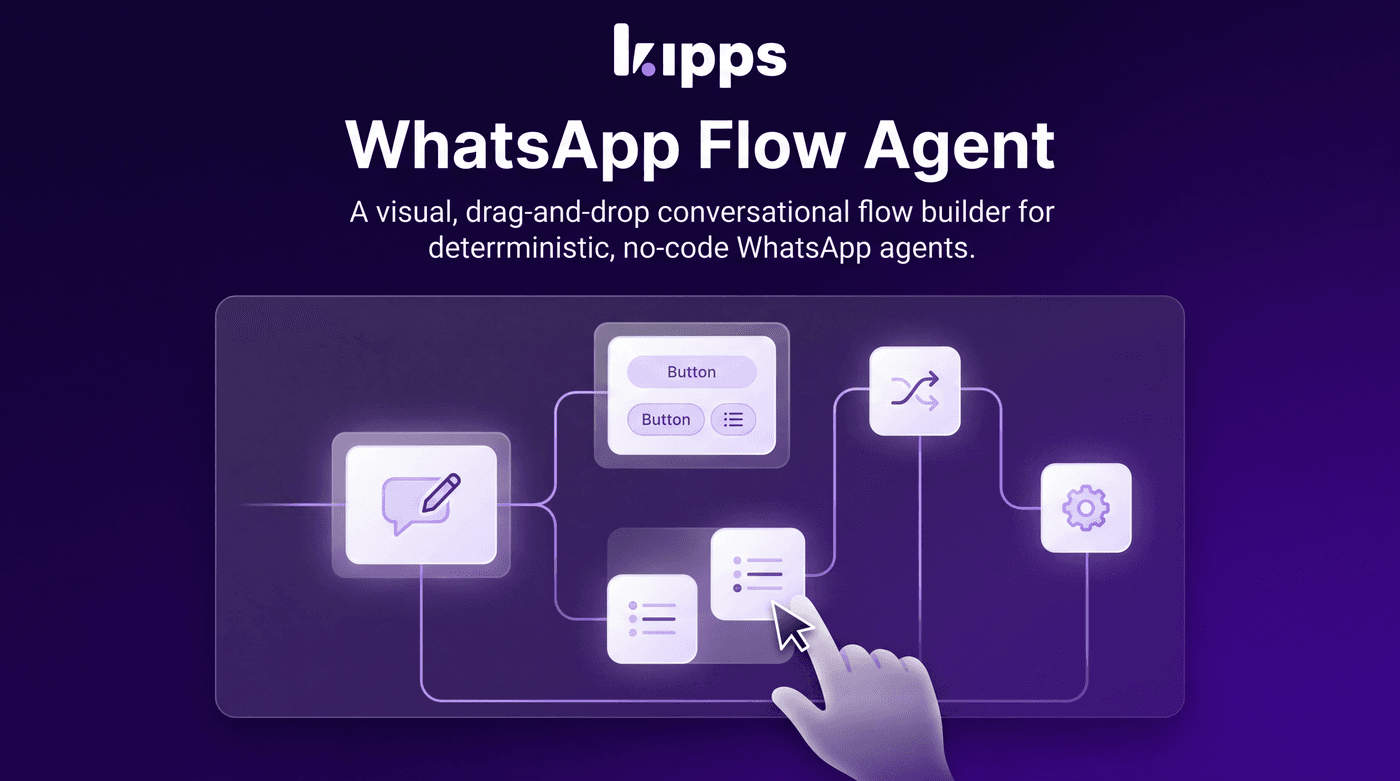
WhatsApp Flow Agent

Introduction
The WhatsApp Flow Agent introduces a powerful, visual, drag-and-drop conversation builder for WhatsApp. Instead of relying on an AI to freely generate replies, this feature allows you to design deterministic, no-code, and fully auditable conversational flows. It solves the challenge of creating structured, predictable interactions for use cases where precise control over the conversation path is essential.
Feature Highlights
- Visual Flow Builder: Design conversations using a drag-and-drop interface with 19 distinct node types, including messages, buttons, forms, conditions, and API calls. This ensures a clear, auditable conversation path.
- Persistent Conversation State: The agent's current position in the conversation graph is saved per-conversation, allowing interactions to resume seamlessly across multiple webhook requests.
- Two-Way AI and Human Handoff: Conversations can be seamlessly transferred between a Flow Agent, an AI Chat Agent, or a human staff member, enabling flexible escalation and de-escalation strategies within a single chat.
- Native WhatsApp Interactivity: Leverage full WhatsApp capabilities such as quick-reply buttons, list menus, forms with validation, date/time and location capture, image input, and multi-select options.
- Immediate Button/Template Action: Users can tap on old buttons or template quick-replies at any point in the conversation, and the system will honor the action immediately, preventing users from getting stuck.
How to Use
- Open a WhatsApp Agent and set its type to "Flow Agent".
- Drag nodes from the sidebar onto the canvas and connect them with edges starting from the Start node.
- Configure each node's content in the side config panel (message text, buttons, form fields, API details, etc.).
- Optionally add Template trigger rows on the Start node so a WhatsApp template's Quick-Reply button jumps straight into a specific point in the flow, regardless of where the conversation currently is.
- Save and publish — every inbound message on that agent's number is now driven by this graph.
Benefits
- Deterministic Conversations: Ensures predictable interactions for structured use cases like bookings, lead qualification, and support triage, where free-form AI replies are undesirable.
- No-Code Development: Empowers support and operations teams to build and edit complex conversational flows visually without requiring engineering involvement.
- Rich WhatsApp Interactivity: Provides full native WhatsApp features, including quick-reply buttons, list menus, forms with per-field validation, date/time and location capture, image capture, multi-select, and delayed nudges with timeouts.
- API Integration: Allows for calling external APIs mid-flow and branching the conversation based on the API response, enabling dynamic and data-driven interactions.
- Flexible Handoffs: Facilitates two-way handoff with AI agents and human staff, allowing a flow to escalate to AI reasoning or a person and seamlessly return to the flow.
- Enhanced User Experience: Honors button and template quick-reply taps immediately, regardless of the flow's current waiting state, ensuring users are never "stuck" when they jump ahead in the conversation.
Example Workflow
A customer initiates a chat on WhatsApp to book a service. The Flow Agent guides them through a series of steps: first, a "List/Menu" node presents available services. Once a service is selected, a "Date/Time" node prompts for a preferred appointment slot. If the customer needs to clarify something, they can tap an "old" quick-reply button from a previous message to ask a general question, which the Flow Agent immediately processes. If the booking requires specific information not covered by the flow, a "Jump to AI" node can temporarily hand off the conversation to an AI agent for free-form interaction. Once the AI has gathered the necessary details, it can "jump back to flow" at a specific node to complete the booking process, perhaps confirming details via an "API/Webhook" node and sending a confirmation "Template" message before an "End Chat" node closes the conversation.
Result
Users can now design and deploy highly structured, predictable, and interactive WhatsApp conversations using a visual, no-code builder. This enables precise control over customer journeys, seamless integration with external systems, and flexible handoffs to AI or human agents, ultimately leading to more efficient and satisfying customer interactions.
See Also
- AI Chat Agent
- WhatsApp Campaigns
- WhatsApp Templates
- Contacts
- WhatsApp Inbox
Ready to try these new features?
Experience the latest improvements and see how they can enhance your workflow. Get started today or learn more about what's coming next.
More Changelog Updates
Related Blog Posts
Why WhatsApp Bot Typing Indicators Build Customer Trust
Learn how accurate typing indicators and read receipts on your WhatsApp bot build customer trust and ensure responsive conversations.
Read more
Master Your Conversational Path with Granular WhatsApp Flow Control
Learn how the Continue from previous taps setting lets you design flexible or sequential WhatsApp journeys to boost completion rates.
Read more
Why WhatsApp Flow Builder Is the Future of Customer Automation
Build interactive WhatsApp Flow agents with native forms, date pickers, and multi-step inputs for higher conversions.
Read more