
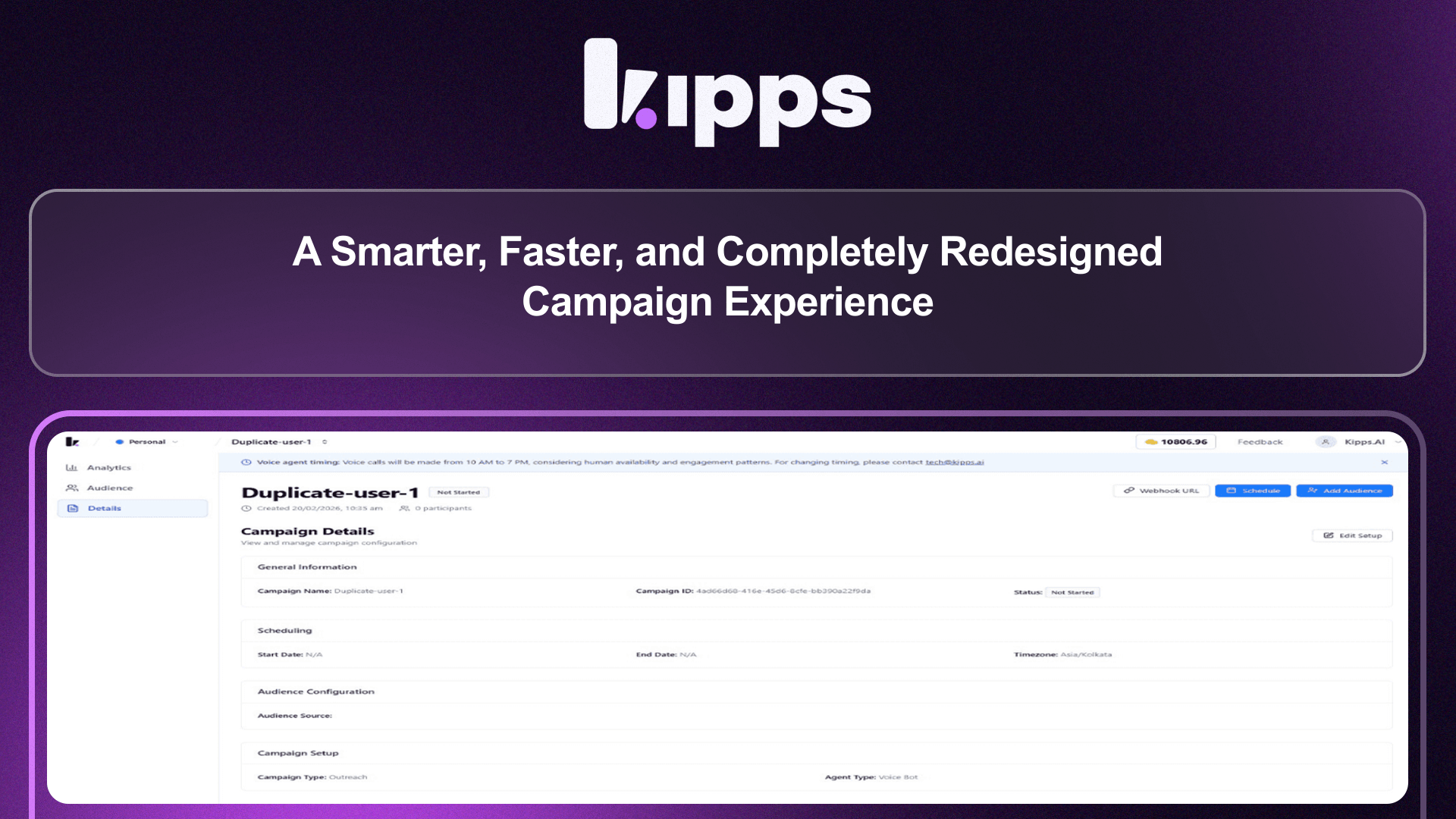
A Smarter, Faster, and Completely Redesigned Campaign Experience

A Smarter, Faster, and Completely Redesigned Campaign Experience
We’ve introduced a major redesign of the Campaign module to make campaign management clearer, faster, and easier to navigate. The updated interface brings a cleaner layout, better organization of information, and improved visibility into campaign performance across both the Campaign List and Campaign Detail pages.
The new design helps teams quickly find campaigns, understand performance at a glance, and manage workflows without unnecessary complexity. By simplifying navigation and improving data presentation, campaign execution and monitoring now feel more intuitive from start to finish.
New Feature: Smart Campaign Filters
What’s New Campaigns can now be filtered by Status, Goal, Source, and Agent directly from the Campaign List page using a dedicated filter bar.
Benefits
- Quickly locate specific campaigns without manual searching
- Saves time when managing large campaign volumes
- Improves workflow efficiency for operations teams
- Enables faster campaign monitoring and decision-making
New Feature: Improved Campaign Listing Layout
What’s New The campaign table now displays key information including Agent name, Goal, Total Contacts, Contact Source, Created Date, and Status within a single unified view.
Benefits
- Instantly understand campaign details at a glance
- Reduces navigation between multiple screens
- Improves operational visibility
- Makes campaign management more organized and efficient
New Feature: Structured Campaign Detail Sections
What’s New Campaign details are now organized into dedicated sections:
- Analytics for performance insights
- Audience for participant visibility
- Details for campaign configuration and settings
Benefits
- Easier navigation between campaign data and settings
- Clear separation of analytics and configuration information
- Reduces user confusion during campaign analysis
- Helps teams manage campaigns with greater clarity
New Feature: Enhanced Performance Dashboard
What’s New A redesigned analytics dashboard introduces visual performance cards displaying Total Participants, Successful Calls, Missed Calls, Failed Calls, and Voicemail Calls.
Benefits
- Instantly understand campaign performance
- Faster identification of success and failure trends
- Simplifies reporting and performance tracking
- Enables data-driven campaign optimization
Stability Improvements and Fixes
What’s Improved
- Resolved issues where campaign sections were not displaying correctly
- Fixed filtering inconsistencies showing incorrect results
- Improved page loading speed and layout alignment across Campaign screens
Benefits
- More reliable campaign management experience
- Consistent and accurate campaign data visibility
- Faster and smoother navigation across the Campaign module
Together, this update delivers a more intuitive campaign management experience, helping teams launch, monitor, and optimize campaigns with greater speed, clarity, and confidence.
See Also
Related Features
Learn More
Ready to try these new features?
Experience the latest improvements and see how they can enhance your workflow. Get started today or learn more about what's coming next.
More Changelog Updates
Related Blog Posts

AI Customer Service Playbook (2026): Build Smarter, Faster, Cheaper Support
The 2026 AI customer service playbook: what agentic AI can resolve today, real benchmarks from Gartner and Salesforce, the core tech stack and a 5-step rollout plan.
Read more
Kipps.AI vs Botpress (2026): Pricing, Voice AI & Which to Choose
Kipps.AI vs Botpress in 2026: compare voice AI, WhatsApp, Botpress's new per-conversation pricing vs Kipps credits, and setup speed to pick the right AI agent.
Read more
Kipps.AI vs Decagon (2026): Features, Pricing & Which AI Agent to Choose
Kipps.AI vs Decagon in 2026: compare voice AI, WhatsApp, pricing models (per-conversation vs credits), customers and setup to pick the right AI agent platform.
Read more