
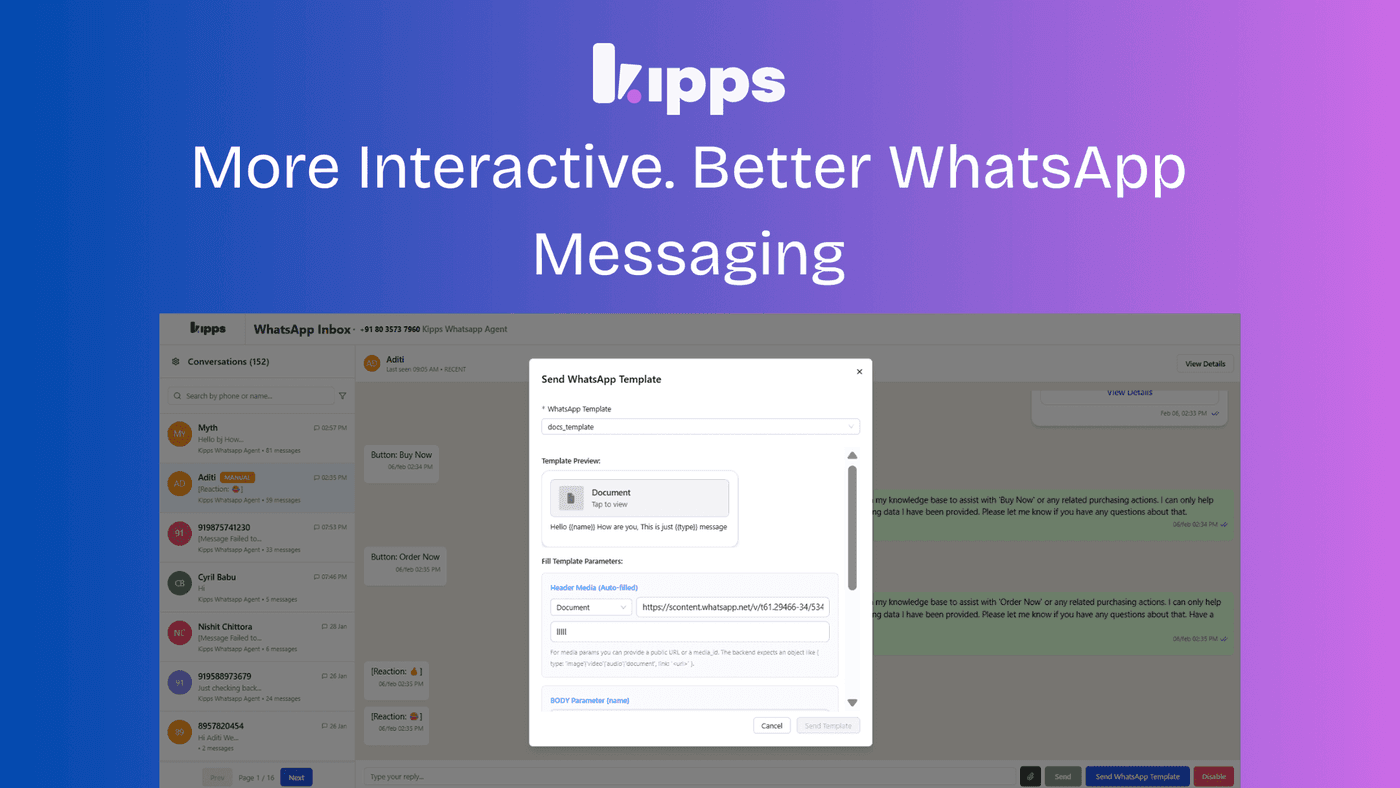
More Professional. More Interactive. Better WhatsApp Messaging.

Introduction
We’ve introduced new enhancements to WhatsApp template messaging to help teams communicate more clearly, professionally, and interactively. These updates apply to both Inbox and Campaign workflows, making it easier to deliver information in a way that is easier to understand, more professional in presentation, and more engaging for end users. With these improvements, teams can now assign custom document names when sending document-based WhatsApp templates, ensuring that recipients see clear and descriptive file names.
This enhancement reduces confusion, improves professionalism, and enhances the overall communication experience when sharing documents through WhatsApp. Whether you're sending important files or engaging users with interactive messages, these updates help you communicate more effectively and leave a stronger impression on your audience.
WhatsApp Template Messaging Enhancements
We’ve introduced new enhancements to WhatsApp template messaging to help teams communicate more clearly, professionally, and interactively. These updates apply to both Inbox and Campaign workflows.
Document Templates with Custom File Names
What’s New
You can now assign a custom document name when sending document-based WhatsApp templates. Recipients will see this name instead of a generic or system-generated file name.
Why This Matters
Clear, descriptive file names make shared documents easier to recognize and reference, improving the overall communication experience.
Key Benefits
- Documents are instantly identifiable
- Reduces confusion and follow-up clarification
- Delivers a more professional and branded interaction
Available in: Inbox and Campaigns
Summary of Improvements
These enhancements make WhatsApp messaging more powerful and effective:
- Clearer communication through custom document names
- Richer engagement with interactive carousel messages
- Greater flexibility across both Inbox and Campaign workflows
Together, these updates help teams deliver information in a way that is easier to understand, more professional in presentation, and more engaging for end users.
See Also
Related Features
Ready to try these new features?
Experience the latest improvements and see how they can enhance your workflow. Get started today or learn more about what's coming next.
More Changelog Updates
Related Blog Posts
Why WhatsApp Bot Typing Indicators Build Customer Trust
Learn how accurate typing indicators and read receipts on your WhatsApp bot build customer trust and ensure responsive conversations.
Read more
Master Your Conversational Path with Granular WhatsApp Flow Control
Learn how the Continue from previous taps setting lets you design flexible or sequential WhatsApp journeys to boost completion rates.
Read more
Why WhatsApp Flow Builder Is the Future of Customer Automation
Build interactive WhatsApp Flow agents with native forms, date pickers, and multi-step inputs for higher conversions.
Read more