
WhatsApp Organization Analytics
Introduction
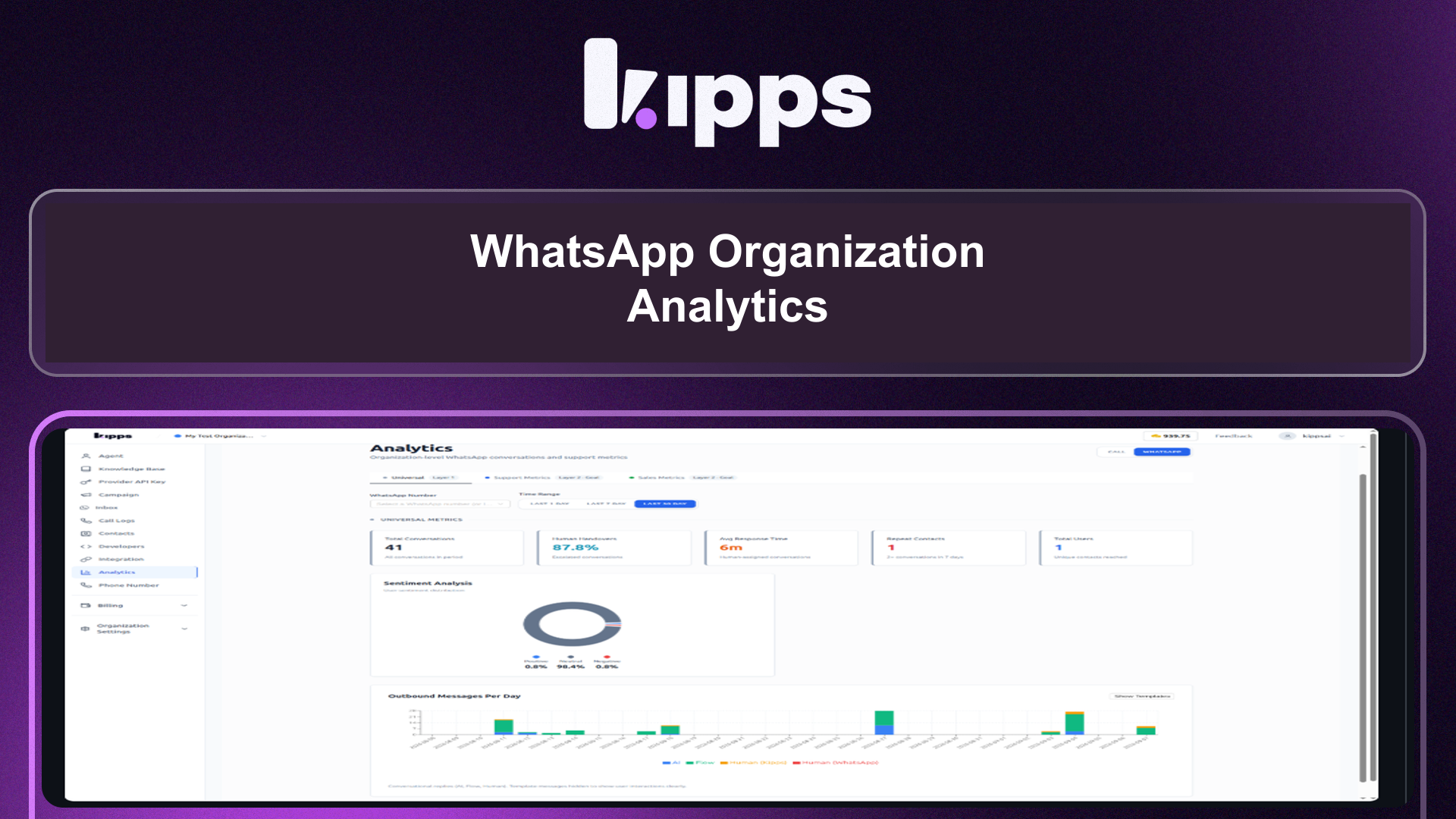
We are excited to introduce WhatsApp Organization Analytics, a powerful new feature designed to provide a comprehensive, organization-wide view of your WhatsApp performance. This eliminates the need to piece together data from individual agent reports, offering a unified dashboard for critical metrics.
Feature Highlights
- Universal Metrics Layer: Gain insights into overall WhatsApp usage and engagement across your entire organization.
- Support Metrics Layer: Monitor key support performance indicators, including resolution rates, human handover times, and SLA adherence.
- Sales Metrics Layer: Track the effectiveness of your sales efforts on WhatsApp, including sales template performance.
- Flexible Filtering: Easily filter analytics by specific WhatsApp phone numbers or across all numbers, and by customizable time ranges (1 day, 7 days, 30 days).
How to Use
- Navigate to the "Analytics" section in your dashboard.
- Select the "WhatsApp" tab.
- Choose a specific WhatsApp number from the dropdown, or leave it blank to view data for all numbers.
- Select your desired time range (1d, 7d, or 30d).
- Switch between the "Universal," "Support Metrics," and "Sales Metrics" layers to view the relevant performance indicators.
Benefits
- Unified View: Provides a single, organization-wide perspective on WhatsApp performance, eliminating the need to consolidate data from individual agent analytics.
- Comprehensive Insights: Access critical metrics such as resolution rates, human handover/SLA, agent performance, and sales template effectiveness all in one place.
- Efficient Analysis: Quickly filter data by specific WhatsApp numbers and time ranges to pinpoint performance trends and areas for improvement.
Example Workflow
A customer success manager wants to understand the overall efficiency of their support team on WhatsApp over the last week. They navigate to Analytics, select the WhatsApp tab, choose the 7-day time range, and then switch to the "Support Metrics" layer. They can immediately see the average resolution time, the number of human handovers, and how well their team is meeting SLAs across all WhatsApp numbers, allowing them to identify bottlenecks and celebrate successes.
Result
Users can now effortlessly monitor and analyze their entire organization's WhatsApp performance through a centralized, filterable dashboard, empowering them to make data-driven decisions to optimize communication and operational efficiency.
See Also
- Whatsapp Agent
- Whatsapp Inbox
- Whatsapp Campaign
Ready to try these new features?
Experience the latest improvements and see how they can enhance your workflow. Get started today or learn more about what's coming next.
More Changelog Updates
Related Blog Posts
Introducing Organization-Wide WhatsApp Analytics: Your New Command Center
Discover the new Organization Analytics dashboard, a centralized command center to track team-wide WhatsApp performance, monitor key support metrics, and analyze sales template effectiveness without tedious manual reporting.
Read more
Why WhatsApp Bot Typing Indicators Build Customer Trust
Learn how accurate typing indicators and read receipts on your WhatsApp bot build customer trust and ensure responsive conversations.
Read more
Master Your Conversational Path with Granular WhatsApp Flow Control
Learn how the Continue from previous taps setting lets you design flexible or sequential WhatsApp journeys to boost completion rates.
Read more