
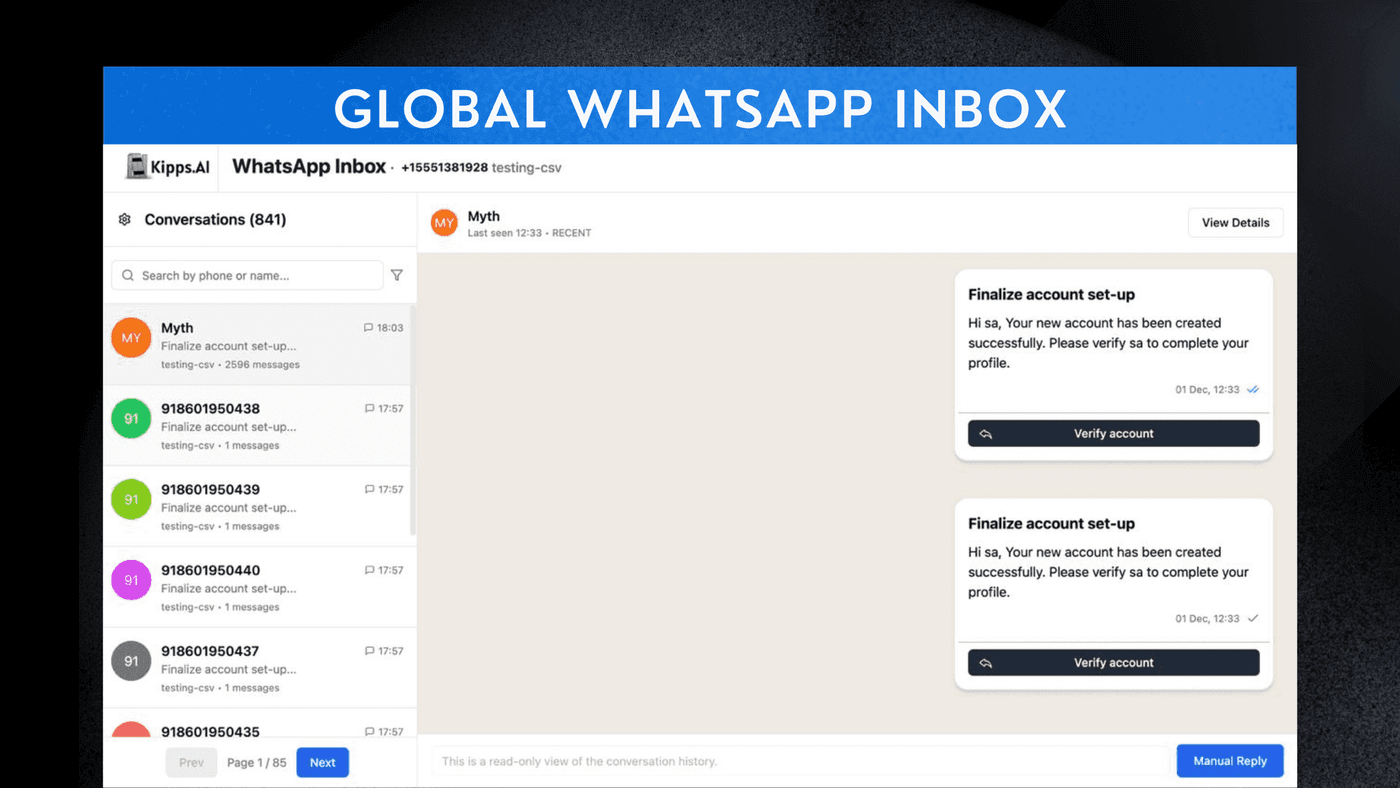
Global WhatsApp Inbox

Introduction
The Global WhatsApp Inbox is a powerful new feature that centralizes all WhatsApp communication across multiple business numbers, teams, and regions into a single unified dashboard. This integration enhances the AI Voice Agent’s ability to coordinate with WhatsApp chats, enabling smarter, faster, and more consistent customer interactions. With the Global WhatsApp Inbox, users can expect improved response efficiency, seamless collaboration between AI and human agents, and complete visibility over all conversations. This feature is designed to streamline communication, reduce response times, and enhance the overall customer experience by ensuring that no message goes unnoticed and that every interaction is handled effectively. Whether you're managing a small team or a large enterprise, the Global WhatsApp Inbox provides the tools you need to stay organized and responsive in your customer communications.
Feature Highlights
- Unified Messaging
Aggregate all WhatsApp messages from multiple business numbers into one central inbox, ensuring no message is missed. - AI-Human Collaboration
Allow the AI Voice Agent to read, respond, or draft replies while enabling human agents to take over complex chats effortlessly. - Seamless Handoffs
Enable smooth handover between WhatsApp chat and the voice agent, ensuring continuity in customer conversations. - Workflow Integration
Connect WhatsApp messages to your CRM, automation workflows, and ticketing systems for streamlined operations. - Real-Time Insights
Access analytics on message volume, response times, agent performance, and AI resolution rates—across markets and departments.
How to Use
Global WhatsApp Inbox Configuration
-
Access Inbox
After logging in, navigate to the Inbox section in the left sidebar to access and manage your WhatsApp messages. -
Enable Human Response
Under AI Response Settings, toggle the Enable Human Responses switch on if you require manual human agents to reply.
Note: Enabling manual replies overrides AI responses for specific conversations.
Review AI Behavior
By default, the AI will respond to all incoming messages. Be aware that messages older than 24 hours require the use of pre-approved WhatsApp templates.
See Also
Related Features
Learn More
Ready to try these new features?
Experience the latest improvements and see how they can enhance your workflow. Get started today or learn more about what's coming next.
More Changelog Updates
Related Blog Posts
Why WhatsApp Bot Typing Indicators Build Customer Trust
Learn how accurate typing indicators and read receipts on your WhatsApp bot build customer trust and ensure responsive conversations.
Read more
Master Your Conversational Path with Granular WhatsApp Flow Control
Learn how the Continue from previous taps setting lets you design flexible or sequential WhatsApp journeys to boost completion rates.
Read more
Why WhatsApp Flow Builder Is the Future of Customer Automation
Build interactive WhatsApp Flow agents with native forms, date pickers, and multi-step inputs for higher conversions.
Read more