
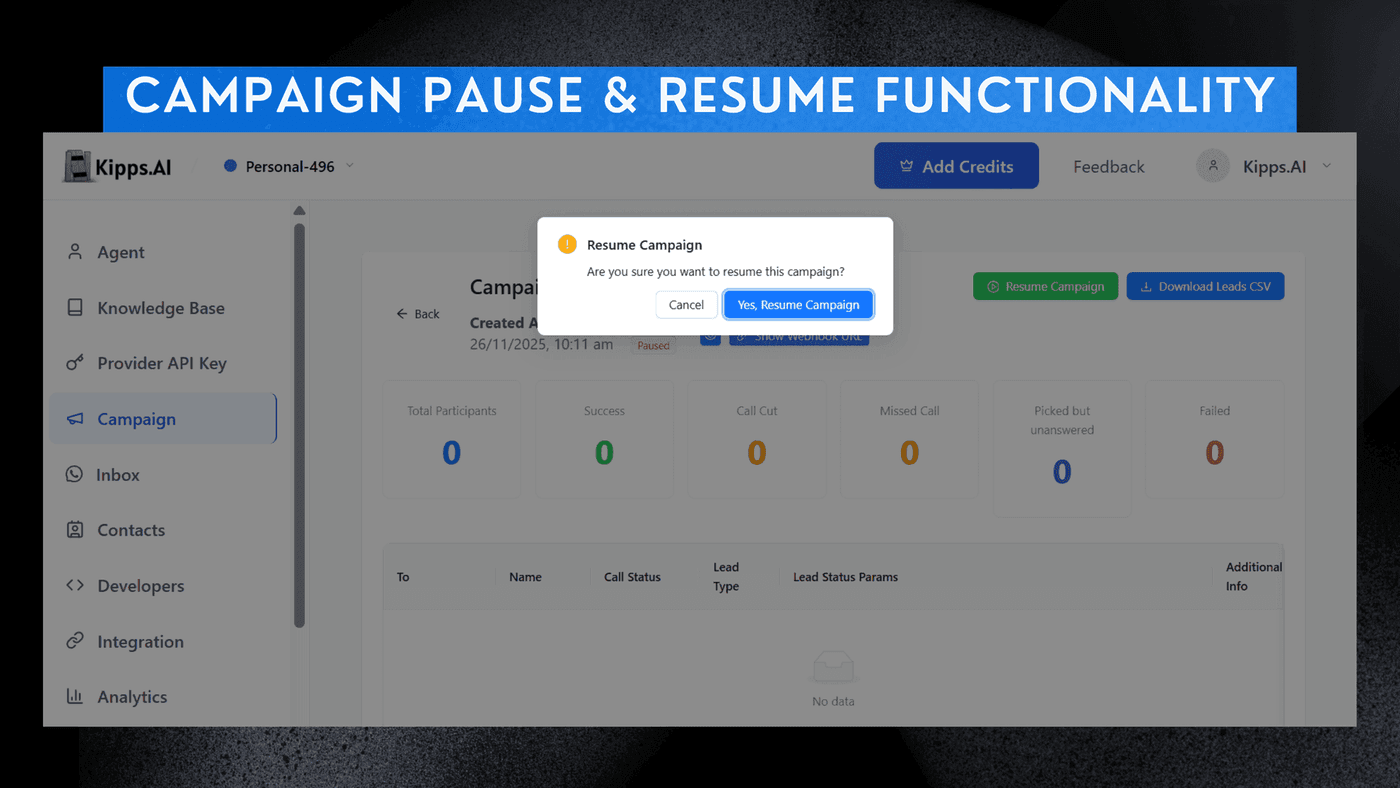
Campaign Pause & Resume Functionality

Feature Highlights
- Instant Pause
Stop an ongoing campaign at any moment to prevent further calls or messages. - Seamless Resume
Restart the campaign exactly where it left off—no need to recreate or edit settings. - Safe State Handling
All campaign data, contact statuses, and progress are preserved during the pause. - Better Control
Useful for operational changes, lead availability issues, or campaign optimization. - Reduced Errors
Prevents accidental calls/messages during system updates or business hours changes.
Pausing an Active Campaign
-
Access Campaigns
Navigate to the Campaigns section in the left sidebar. -
Locate Campaign
Review the list of campaigns you have created. -
Pause Action
Locate the active campaign you wish to stop, and click the Pause option situated to the far right of the campaign name. -
Resume Campaign
To activate the campaign again, just click the same button to resume the campaign.
See Also
Related Features
Ready to try these new features?
Experience the latest improvements and see how they can enhance your workflow. Get started today or learn more about what's coming next.
More Changelog Updates
Related Blog Posts
HR's Guide to Employee Retirement Plan Communication
Struggling with 401k questions? This guide helps HR teams simplify employee retirement plan communication. Learn strategies to explain mutual funds, boost participation, and reduce repetitive work.
Read more
Beyond the First Message: A Guide to Smarter Chatbot Lead Forms
Learn how to configure your chatbot's lead form frequency to reduce visitor fatigue, improve conversation flow, and capture higher-quality leads. A complete guide to the new settings and best practices.
Read more
How to Automatically Write Data to Google Sheets from Your Workflow
Learn how to automatically write or update data in Google Sheets directly from your workflow using the Write Back to Sheet node in Kipps.AI.
Read more