
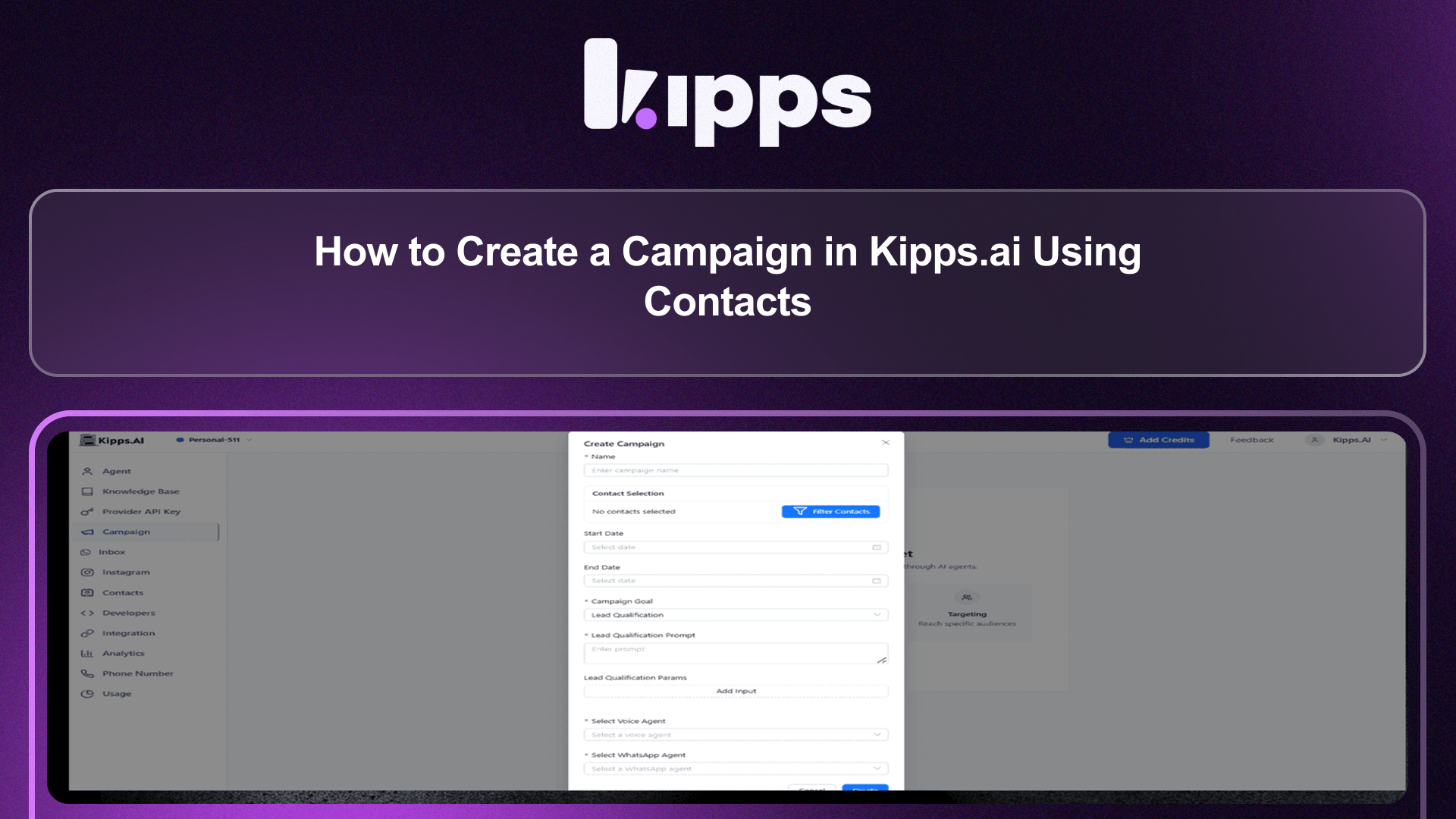
How to Create a Campaign in Kipps.ai Using Contacts

Introduction
The new Campaign Creation From Contacts feature in Kipps.ai allows users to effortlessly create and launch AI-powered outreach campaigns directly from their contact lists. This streamlined process eliminates the need for manual CSV uploads and complex configurations, enabling businesses to engage with their customers more quickly and effectively. By leveraging AI Voice Agents and AI WhatsApp Agents, users can automate calls and messages, ensuring personalized communication that drives higher engagement and conversion rates. This feature is designed to enhance communication workflows, making it easier for businesses to reach their leads and customers with targeted campaigns that deliver results.
Feature Highlights
- One-Click Campaign Launch
Create and run campaigns instantly from your contacts—no CSV uploads or manual configuration needed. - AI-Powered Multi-Channel Outreach
Use AI Voice Agents and AI WhatsApp Agents to call, message, and follow up with customers automatically. - Personalized Messaging
Each call and message is tailored using contact data, improving engagement and response rates. - Automated Lead Qualification
AI collects responses, updates statuses, and logs outcomes in real time. - Real-Time Reporting
Track campaign performance with instant data on calls, replies, and conversions.
How to Use
-
Open Campaign Creator
Navigate to Dashboard → Campaigns → Add Campaign. -
Name Your Campaign
Add a clear, descriptive name (e.g., “EdTech Lead Qualification – July” or “Payment Reminder Batch 01”). -
Select Contacts
All contacts currently stored on the platform are selected automatically by default. Click Filter Contacts to choose the correct filters (such as filtering by tag) to narrow down your audience. -
Set Start & End Dates
Define exactly when the campaign should begin and when it should end. -
Choose Campaign Goal
Select the primary objective from the dropdown list, such as:- Lead qualification
- Outreach
- Birthday and anniversary
-
Add Qualification Prompt
Describe what the AI should ask or collect during the conversation (e.g., name, budget, availability, payment status). -
Add Qualification Parameters
Click Add Input and specify the distinct fields/data points the AI should extract from the conversation. -
Select Voice Agent
Choose the specific Voice Agent that will handle the outbound calls for this campaign.
To Create WhatsApp Campaign
9. Select WhatsApp Agent
Select the appropriate WhatsApp Agent from the list (if needed for this campaign).
- Create the Campaign
Click Create. The system will finalize the setup and prepare the campaign for launch.
See Also
Related Features
Learn More
Ready to try these new features?
Experience the latest improvements and see how they can enhance your workflow. Get started today or learn more about what's coming next.
More Changelog Updates
Related Blog Posts
HR's Guide to Employee Retirement Plan Communication
Struggling with 401k questions? This guide helps HR teams simplify employee retirement plan communication. Learn strategies to explain mutual funds, boost participation, and reduce repetitive work.
Read more
Beyond the First Message: A Guide to Smarter Chatbot Lead Forms
Learn how to configure your chatbot's lead form frequency to reduce visitor fatigue, improve conversation flow, and capture higher-quality leads. A complete guide to the new settings and best practices.
Read more
How to Automatically Write Data to Google Sheets from Your Workflow
Learn how to automatically write or update data in Google Sheets directly from your workflow using the Write Back to Sheet node in Kipps.AI.
Read more