
Call Recording Webhook

Introduction
We are excited to introduce the Call Recording Webhook, a powerful new feature that allows you to send call recordings from Kipps.ai to your system in real time.
With this webhook, you can automatically receive recording URLs, metadata, and processing status for every call, enabling you to archive, transcribe, or analyze calls outside of Kipps.ai with ease.
This feature is designed to help you integrate call recordings seamlessly into your existing workflows, whether you want to store them in your CRM, trigger transcription jobs, or feed them into analytics pipelines for deeper insights.
Get started today and take advantage of the Call Recording Webhook to enhance your call management and analysis capabilities!
Feature Highlights
- Real-time delivery Receive recording events as soon as a call recording is available.
- Rich metadata
Payload includes contact id, campaign id, agent id, call duration, timestamp, and recording URL. - Multiple events
Supports recording_ready, recording_processed, and transcription_ready. - Secure verification
HMAC signature (or verify token) to validate incoming requests. - Flexible handling
Store recordings, trigger transcription jobs, or pass to analytics pipelines automatically.
Setting Up Webhook Real-Time Updates
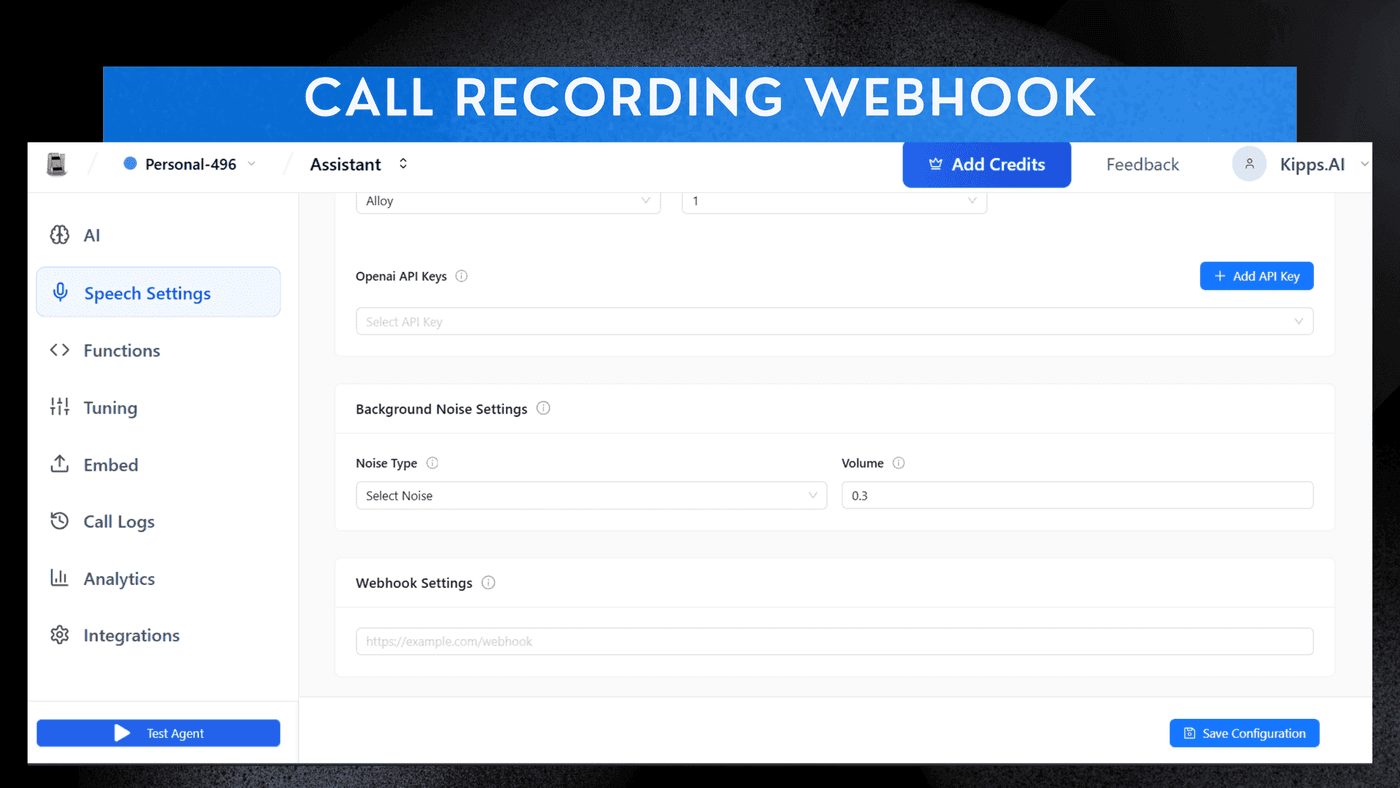
- Select Agent
Click on any existing Agent you have created. - Navigate Settings
Go to the Speech Setting section. - Find Webhook
Locate the Webhook Setting section (typically at the bottom). - Paste URL
Paste your Webhook URL into the designated field to receive real-time updates on all agent interactions.
See Also
Related Features
Ready to try these new features?
Experience the latest improvements and see how they can enhance your workflow. Get started today or learn more about what's coming next.
More Changelog Updates
Related Blog Posts
HR's Guide to Employee Retirement Plan Communication
Struggling with 401k questions? This guide helps HR teams simplify employee retirement plan communication. Learn strategies to explain mutual funds, boost participation, and reduce repetitive work.
Read more
Beyond the First Message: A Guide to Smarter Chatbot Lead Forms
Learn how to configure your chatbot's lead form frequency to reduce visitor fatigue, improve conversation flow, and capture higher-quality leads. A complete guide to the new settings and best practices.
Read more
How to Automatically Write Data to Google Sheets from Your Workflow
Learn how to automatically write or update data in Google Sheets directly from your workflow using the Write Back to Sheet node in Kipps.AI.
Read more