
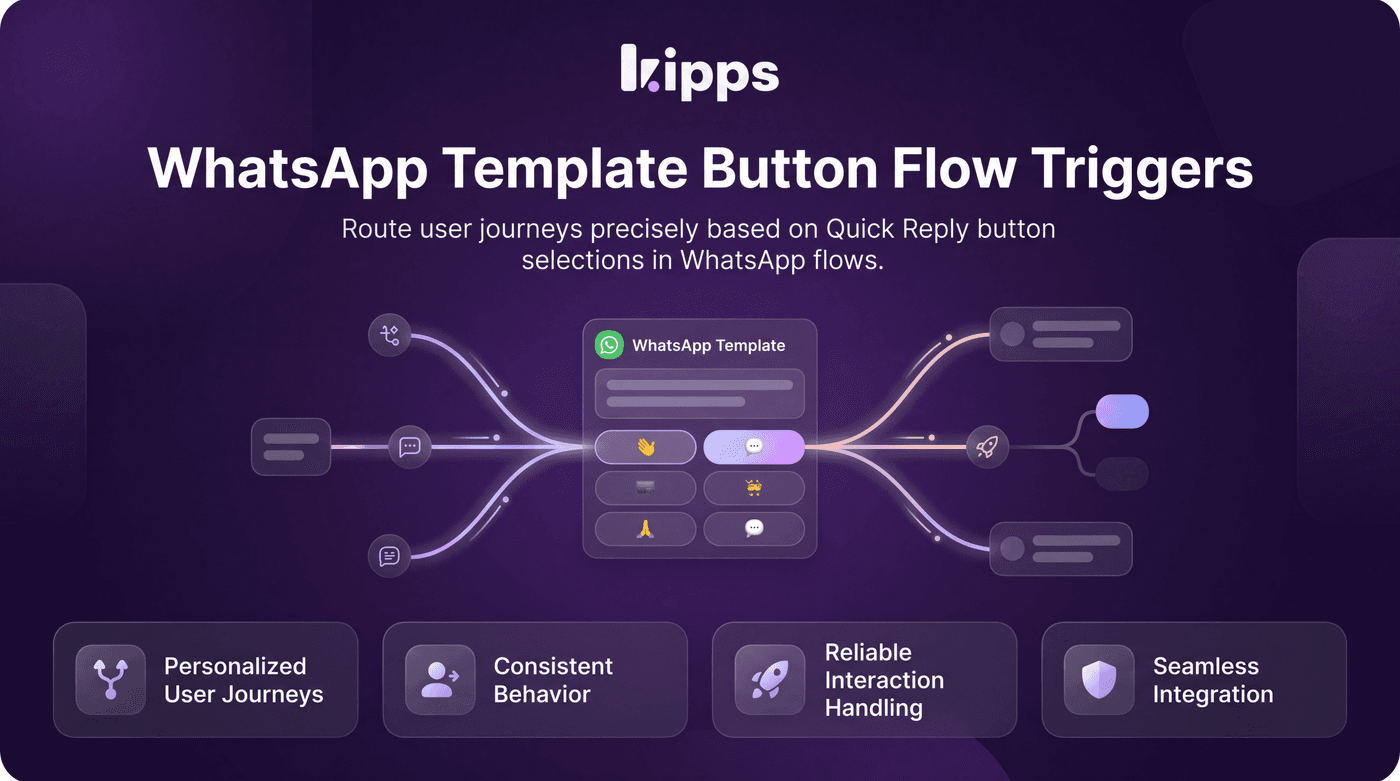
WhatsApp Template Button Flow Triggers

Introduction
This new feature allows you to precisely control the user journey within WhatsApp flows by detecting which Quick Reply button a user taps on a template. Previously, all replies to a template were treated uniformly, limiting the ability to create dynamic and personalized conversational paths. Now, you can design more intelligent and responsive interactions.
Feature Highlights
- Granular Flow Branching: Route users to different parts of a flow based on their specific button tap on a WhatsApp template.
- Universal Template Support: This functionality works seamlessly regardless of whether the template was sent from a campaign, the inbox, or via the API.
- Priority Routing: Button taps take precedence over current conversation states, ensuring that user selections are always correctly captured and routed.
- Opt-in Configuration: Existing flows remain unaffected unless you explicitly configure template triggers, providing a smooth transition.
How to Use
- Open a WhatsApp flow agent's Conversation Start node.
- Click "Add a template trigger".
- Select one of your approved templates that includes Quick Reply buttons (only templates with Quick Reply buttons will be displayed).
- The Quick Reply buttons from the chosen template will automatically appear as separate rows.
- Drag a wire from each button's handle to the specific part of the flow where that tap should lead.
- A fixed "Normal message" row is always present to catch any messages that do not match a configured button, ensuring existing flows function as before if this feature is not utilized.
Benefits
- Personalized User Journeys: Route users differently based on which button they tapped on a template, instead of treating every reply the same way, leading to more tailored experiences.
- Consistent Behavior: Works no matter where the template was sent from — campaign, inbox, voice follow-up, or API — since matching is based on the template and button itself, not the send path.
- Reliable Interaction Handling: Takes priority over whatever the conversation is currently doing (mid-flow, waiting for input, even handed off to an AI agent), so a button tap is never missed or misrouted.
- Seamless Integration: Fully opt-in — flows that don't configure any triggers behave exactly as before, ensuring no disruption to existing setups.
Example Workflow
Imagine a user receives a WhatsApp template offering "Product Info," "Support," or "Talk to Sales." With this feature, if the user taps "Product Info," they are immediately directed to a flow segment providing detailed product specifications. If they tap "Support," they are routed to an FAQ section or a live agent queue. Tapping "Talk to Sales" connects them directly with a sales representative, all within the same conversation, making the interaction highly efficient and user-friendly.
Result
Users can now design sophisticated WhatsApp conversational flows that dynamically adapt to user choices made via Quick Reply buttons on templates, enabling more precise routing and personalized interactions regardless of the template's origin.
See Also
- Flow Builder
- WhatsApp Campaign Templates
- WhatsApp Inbox
Ready to try these new features?
Experience the latest improvements and see how they can enhance your workflow. Get started today or learn more about what's coming next.
More Changelog Updates
Related Blog Posts
Why WhatsApp Bot Typing Indicators Build Customer Trust
Learn how accurate typing indicators and read receipts on your WhatsApp bot build customer trust and ensure responsive conversations.
Read more
Master Your Conversational Path with Granular WhatsApp Flow Control
Learn how the Continue from previous taps setting lets you design flexible or sequential WhatsApp journeys to boost completion rates.
Read more
Why WhatsApp Flow Builder Is the Future of Customer Automation
Build interactive WhatsApp Flow agents with native forms, date pickers, and multi-step inputs for higher conversions.
Read more