
Intent-Based WhatsApp Messaging for Voicebot Calls

Introduction
The WhatsApp Function Integration enables the Voicebot to send WhatsApp messages based on user intent during an active call or after call completion. It works across Web Calls, Inbound Calls, and Outbound Calls, enabling real-time WhatsApp communication driven by voice commands. This feature allows users to seamlessly transition from voice interactions to WhatsApp messaging, enhancing customer engagement and providing a more versatile communication experience. Whether it's sharing details, sending follow-ups, or providing information, the Voicebot can now leverage WhatsApp to deliver timely and relevant messages based on user intent.
Intent-Based WhatsApp Messaging for Voicebot Calls
Feature Overview
The WhatsApp Function Integration enables the Voicebot to send WhatsApp messages based on user intent during an active call or after call completion. It works across Web Calls, Inbound Calls, and Outbound Calls, enabling real-time WhatsApp communication driven by voice commands.
Real-Time WhatsApp Trigger During Calls
When this happens: During an active voice conversation (Web Call / Inbound / Outbound).
Supported user intents:
- “Send this on WhatsApp”
- “Share details on WhatsApp”
- “WhatsApp me bhej do”
System behavior:
-
The Voice Agent detects the intent.
-
The configured WhatsApp Function is invoked.
-
A WhatsApp message is sent immediately using:
- Selected template
- Dynamic parameters extracted from the call context
Result: Hands-free, instant WhatsApp follow-ups without ending the call.
Step 1: Create a WhatsApp Function
-
Navigate to Voicebot → Functions.
-
Click Create Function.
-
Select WhatsApp Message.
-
Configure the following fields:
- Function Name
- Description
- WhatsApp Template
- Dynamic Parameters
-
Click Submit.
Step 2: Dynamic Parameter Injection
The parameters field in the WhatsappFunction model supports real-time substitution using:
- Call metadata
- User responses
- CRM or backend data
Parameters are injected at execution time to ensure contextual messaging.
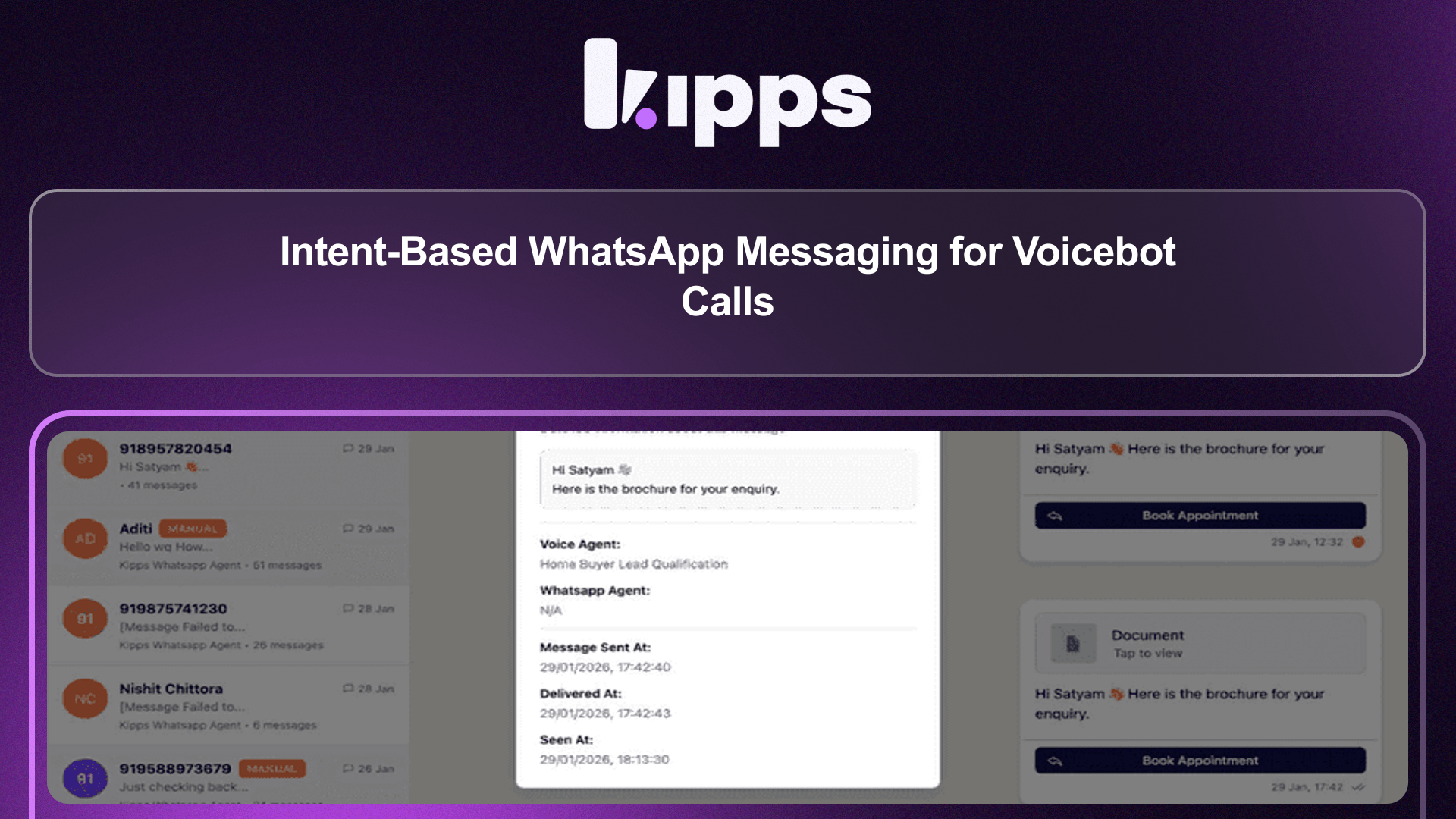
Step 3: WhatsApp Inbox Visibility
Navigate to Inbox → WhatsApp to view:
- Final message content
- Recipient details
- Timestamp
- Delivery status
Call Logs & Tool Usage Visibility (Upcoming Enhancement)
For Web Calls, Inbound Calls, and Outbound Calls, users will be able to:
- Open Voice Agent → User Call Logs.
- Select a specific call.
- Go to the Tool Used section.
Visible details:
- WhatsApp Function Name
- Parameters passed from the call
- Execution result (success / failure)
- Message ID and status
See Also
Related Features
Ready to try these new features?
Experience the latest improvements and see how they can enhance your workflow. Get started today or learn more about what's coming next.
More Changelog Updates
Related Blog Posts
From Confusion to Clarity: Better Voicebot Management with Unique Naming
Learn how unique naming conventions and a streamlined agent creation process can eliminate confusion, reduce errors, and improve team efficiency when managing your voicebots.
Read more
Why WhatsApp Bot Typing Indicators Build Customer Trust
Learn how accurate typing indicators and read receipts on your WhatsApp bot build customer trust and ensure responsive conversations.
Read more
Master Your Conversational Path with Granular WhatsApp Flow Control
Learn how the Continue from previous taps setting lets you design flexible or sequential WhatsApp journeys to boost completion rates.
Read more