
Monthly Subscription Add-ons Management

Introduction
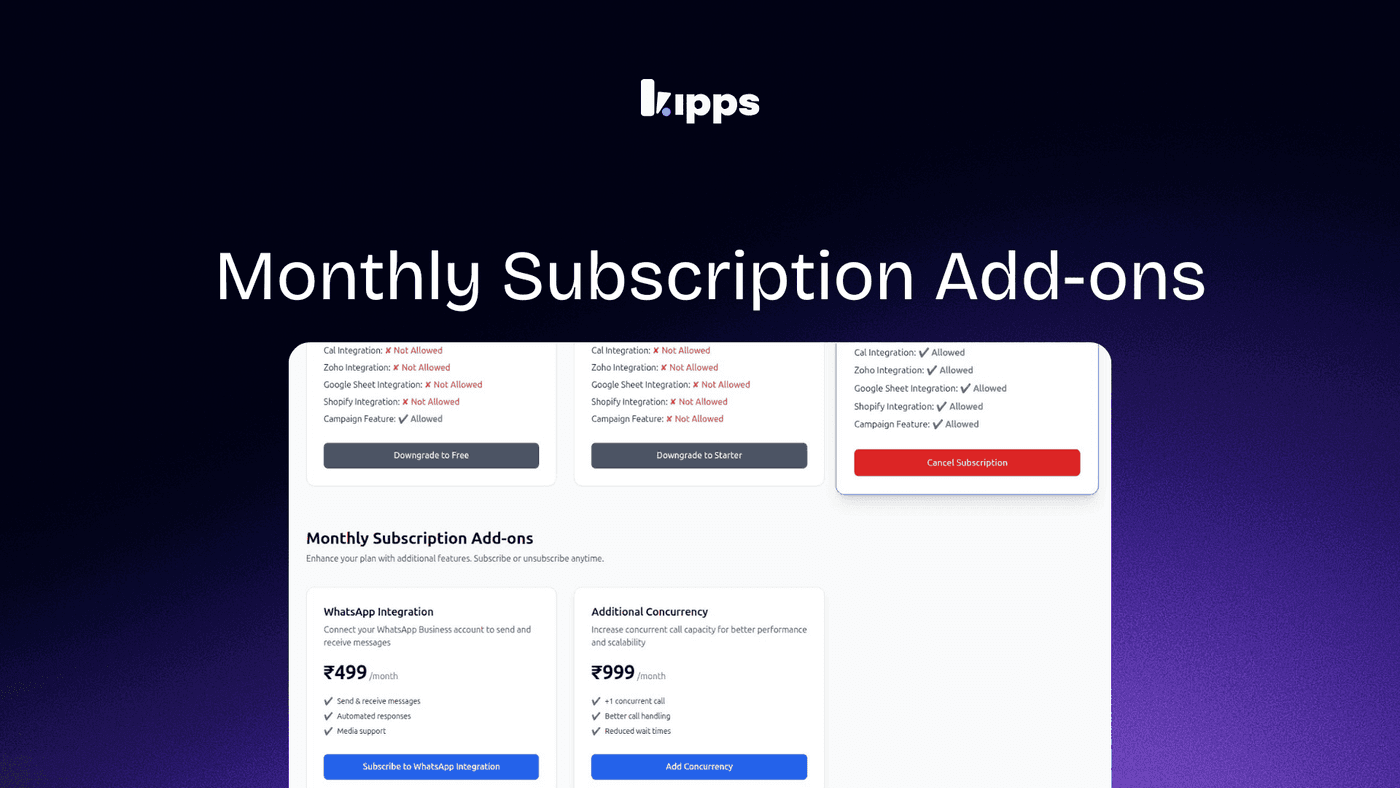
The Monthly Subscription Add-ons Management feature allows users to easily manage and customize their monthly subscription add-ons directly from the Billing & Plans section. Users can view available add-ons, their pricing, and activation status, enabling them to activate or cancel specific add-ons such as WhatsApp Integration and Additional Concurrency without changing their core subscription plan. This enhancement provides greater flexibility and control over subscription features, allowing users to tailor their subscriptions to better meet their needs while maintaining cost efficiency.
Description: Enables users to manage and customize monthly subscription add-ons directly from the Billing & Plans section, with clear visibility into available add-ons, pricing, and activation status.
Changelog: Monthly Subscription Add-ons Management
Feature Overview
Users can now manage monthly subscription add-ons directly from the Billing & Plans section. This allows activation or cancellation of specific add-ons, such as WhatsApp Integration and Additional Concurrency, without changing the core subscription plan.
How to Access
- Log in to your account.
- Navigate to Billing & Plans → Monthly Subscription Add-ons.
- Select an add-on and click Subscribe or Add.
What You Can Manage
- View available add-ons (e.g., WhatsApp Integration, Additional Concurrency).
- See pricing details for each add-on.
- Activate or cancel add-ons at any time.
Impact
This update increases flexibility by allowing users to enable only the features they require. It reduces reliance on higher-tier plans and helps users customize their subscriptions while maintaining better cost control.
See Also
Related Features
Ready to try these new features?
Experience the latest improvements and see how they can enhance your workflow. Get started today or learn more about what's coming next.
More Changelog Updates
Related Blog Posts

HR's Guide to Employee Retirement Plan Communication
Struggling with 401k questions? This guide helps HR teams simplify employee retirement plan communication. Learn strategies to explain mutual funds, boost participation, and reduce repetitive work.
Read more
Beyond the First Message: A Guide to Smarter Chatbot Lead Forms
Learn how to configure your chatbot's lead form frequency to reduce visitor fatigue, improve conversation flow, and capture higher-quality leads. A complete guide to the new settings and best practices.
Read more
How to Automatically Write Data to Google Sheets from Your Workflow
Learn how to automatically write or update data in Google Sheets directly from your workflow using the Write Back to Sheet node in Kipps.AI.
Read more