
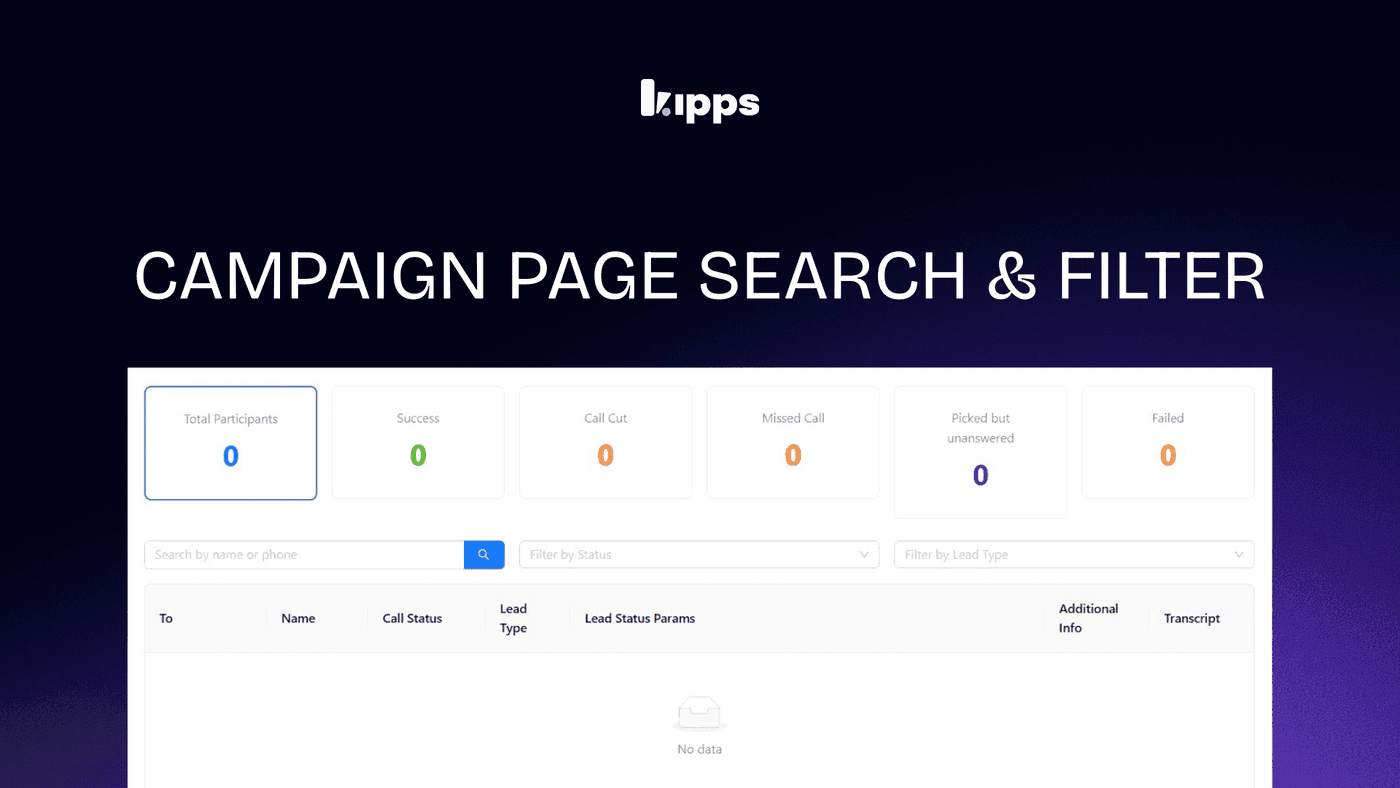
Campaign status Filters and Search

Introduction
We are excited to introduce new filters and a search bar for the campaign status.
This update will help you manage your leads more efficiently and find the information you need faster.
Feature Overview
The campaign status now has filters and a search bar to help you handle leads.
You can sort leads by their status and type.
You can also search to quickly find a lead you want.
How to Access
- Open the Campaign page.
- Use the Lead Status filter to see leads by their current status.
- Use the Lead Type filter to see leads by their category.
- Use the Search bar to find leads by name or phone number.
Impact
Managing leads is now faster and easier.
You do not need to look through long lists anymore.
Finding a specific lead is quick, which helps you work better and stay in control.
See Also
Related Features
Ready to try these new features?
Experience the latest improvements and see how they can enhance your workflow. Get started today or learn more about what's coming next.
More Changelog Updates
Related Blog Posts

HR's Guide to Employee Retirement Plan Communication
Struggling with 401k questions? This guide helps HR teams simplify employee retirement plan communication. Learn strategies to explain mutual funds, boost participation, and reduce repetitive work.
Read more
Beyond the First Message: A Guide to Smarter Chatbot Lead Forms
Learn how to configure your chatbot's lead form frequency to reduce visitor fatigue, improve conversation flow, and capture higher-quality leads. A complete guide to the new settings and best practices.
Read more
How to Automatically Write Data to Google Sheets from Your Workflow
Learn how to automatically write or update data in Google Sheets directly from your workflow using the Write Back to Sheet node in Kipps.AI.
Read more