
WhatsApp Flow Agent with Interactive Multi-Screen Messages

WhatsApp Flow Agent with Interactive Multi-Screen Messages
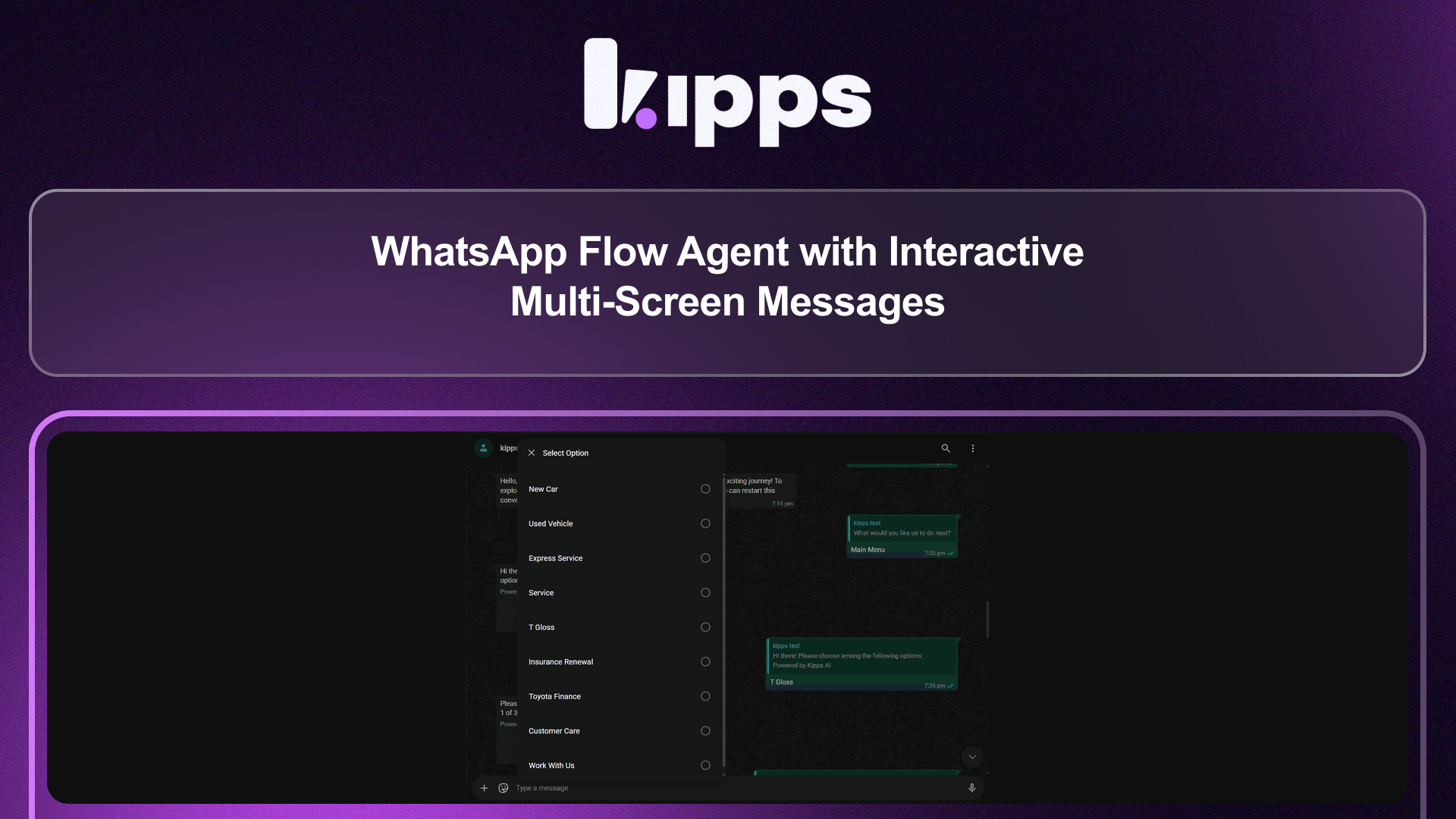
KIPPS WhatsApp agents now support WhatsApp Flow JSON, enabling you to build guided, multi-screen conversation experiences using Facebook's native interactive message format — no custom development required.
What's New
- Flow JSON Support — Configure agents to send WhatsApp-native interactive flows with screens, buttons, lists, and input forms
- Multi-Screen Journeys — Guide users through structured conversations across multiple steps (e.g., booking, qualification, surveys)
- No LLM Required Per Step — Flow responses are handled natively by WhatsApp, removing the need for an AI call on every interaction
- Template-Based Configuration — Flows can be configured per agent and triggered based on conversation context
- Interactive List & Button Messages — Send rich messages that users can tap through, not just read
What This Solves
Previously:
- WhatsApp agents could only respond with plain text or basic template messages
- Multi-step journeys required back-and-forth LLM calls for every message in the flow
- There was no way to present structured, native WhatsApp UI elements like buttons, lists, or forms
This led to:
- Higher latency and inference costs for structured journeys
- A less polished user experience compared to native WhatsApp flows
- Difficulty building guided processes like appointment booking or lead qualification on WhatsApp
Now, agents can deliver native WhatsApp experiences that feel built-in to the app — fast, interactive, and without repeated LLM calls.
How to Use
- In your WhatsApp agent configuration, go to the Flow settings tab.
- Paste or upload your WhatsApp Flow JSON template.
- Configure the trigger condition — when should the agent present this flow to the user?
- Save and test the flow from the preview panel.
- Once live, the agent will serve the interactive flow at the configured trigger point in the conversation.
Why This Matters for Your Business
Native WhatsApp Experience
Users interact with familiar button taps and form screens — exactly how they expect WhatsApp to work.
Faster, Cheaper Structured Journeys
Multi-step flows run without LLM inference on every step, cutting latency and cost for templated processes.
Higher Completion Rates
Guided flows with clear buttons and options have significantly higher completion rates than open-ended text conversations.
Flexible Use Cases
Lead qualification, appointment booking, product selection, surveys, support ticketing — any structured journey can be built as a flow.
Key Benefits
- Rich UI — Buttons, lists, and multi-screen forms inside WhatsApp
- LLM-Efficient — Structured steps don't need AI inference
- Fast to Configure — Paste a Flow JSON and you're done
- Context-Aware Triggers — Launch flows at the right moment in a conversation
See Also
Related Features
Ready to try these new features?
Experience the latest improvements and see how they can enhance your workflow. Get started today or learn more about what's coming next.
More Changelog Updates
Related Blog Posts
Why WhatsApp Bot Typing Indicators Build Customer Trust
Learn how accurate typing indicators and read receipts on your WhatsApp bot build customer trust and ensure responsive conversations.
Read more
Master Your Conversational Path with Granular WhatsApp Flow Control
Learn how the Continue from previous taps setting lets you design flexible or sequential WhatsApp journeys to boost completion rates.
Read more
Why WhatsApp Flow Builder Is the Future of Customer Automation
Build interactive WhatsApp Flow agents with native forms, date pickers, and multi-step inputs for higher conversions.
Read more