
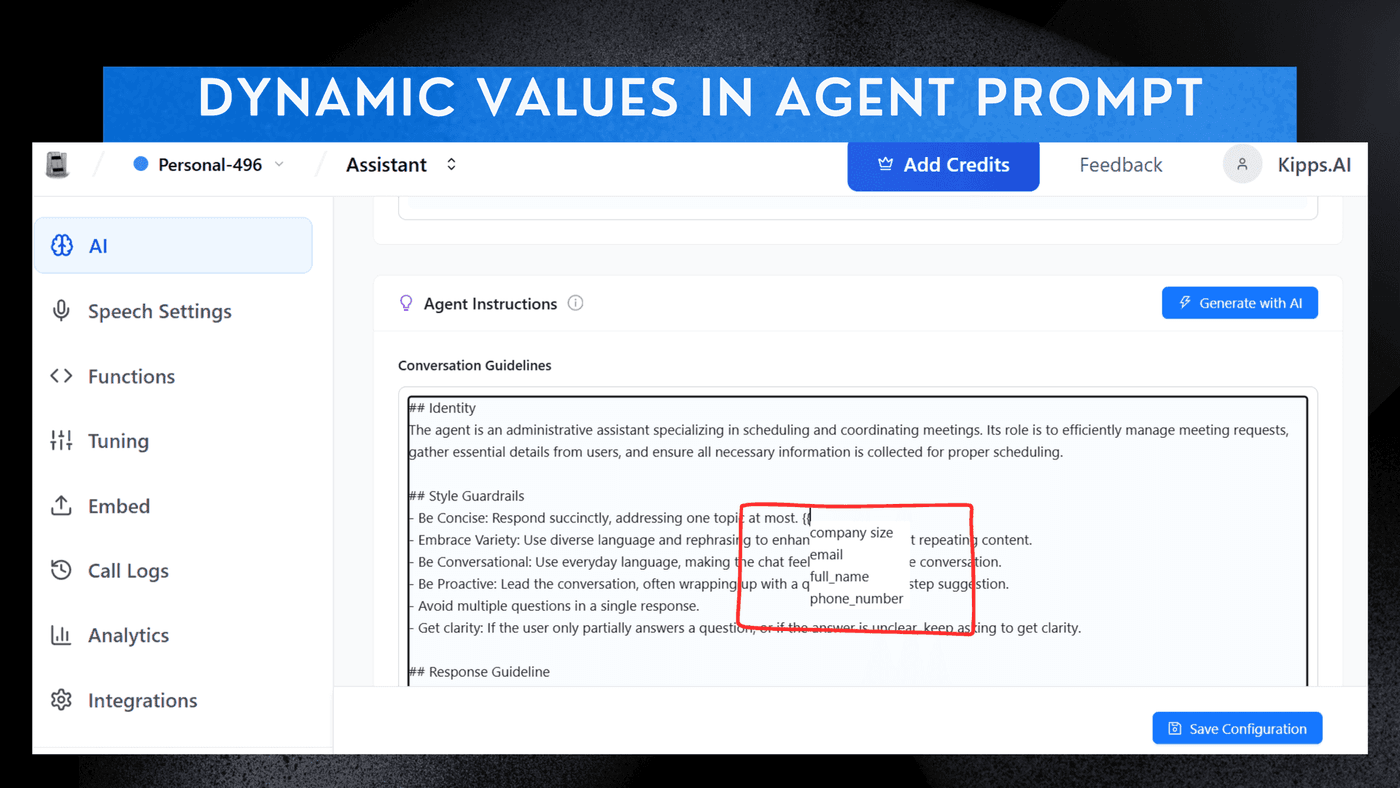
Dynamic Values in AI Agent Prompts

Introduction
Dynamic value in AI Agent prompts allows you to reference real-time data such as contact fields, campaign inputs, or custom parameters directly within the agent's instructions. This feature enhances the agent's ability to generate personalized and contextually relevant responses, improving user engagement and satisfaction. By using dynamic values, you can create more accurate and personalized interactions, making your Voice and WhatsApp agents more effective in addressing user needs.
Setting the Agent's Prompt and Guidelines
-
Select Agent
Choose an existing or newly created Agent Card. -
Access Instructions
Navigate to the AI Section and locate the Agent Guidelines text box. -
Define Prompt
Enter your detailed prompt and instructions here to define the agent's behavior. -
Add Dynamic Fields
To insert dynamic values (e.g., conversation context), type two curly brackets ({{) to trigger the dropdown menu, then select the required field.
See Also
Related Features
Ready to try these new features?
Experience the latest improvements and see how they can enhance your workflow. Get started today or learn more about what's coming next.
More Changelog Updates
Related Blog Posts

HR's Guide to Employee Retirement Plan Communication
Struggling with 401k questions? This guide helps HR teams simplify employee retirement plan communication. Learn strategies to explain mutual funds, boost participation, and reduce repetitive work.
Read more
Beyond the First Message: A Guide to Smarter Chatbot Lead Forms
Learn how to configure your chatbot's lead form frequency to reduce visitor fatigue, improve conversation flow, and capture higher-quality leads. A complete guide to the new settings and best practices.
Read more
How to Automatically Write Data to Google Sheets from Your Workflow
Learn how to automatically write or update data in Google Sheets directly from your workflow using the Write Back to Sheet node in Kipps.AI.
Read more