
Voice Agent Test Calls with Placeholder Values

Introduction
Testing Voice Agents with placeholder values allows you to simulate real user inputs by providing test data for dynamic variables such as name, age, and custom fields. This feature enables you to validate the agent's behavior and conversation flow without using real customer information. By entering placeholder values before running a test call, you can identify any issues with variable handling, response generation, and overall agent performance in a safe and controlled environment. This enhancement improves the quality of your Voice Agents and ensures a better user experience when they go live. Whether you're developing a new agent or refining an existing one, using placeholder values for test calls is an essential step in the development process to ensure that your agents respond accurately and effectively to a wide range of user inputs.
Voice Agent Test Calls – Placeholder Values
Overview
- Enables safe testing of voice agents using realistic sample data without touching real customer information.
- Helps identify conversation flow issues and variable errors before going live.
- Improves demo quality and personalization by simulating real user scenarios instantly.
How to Use Placeholder Values for Voice Agent Test Calls
Select Agent Choose the Voice Agent you want to test.
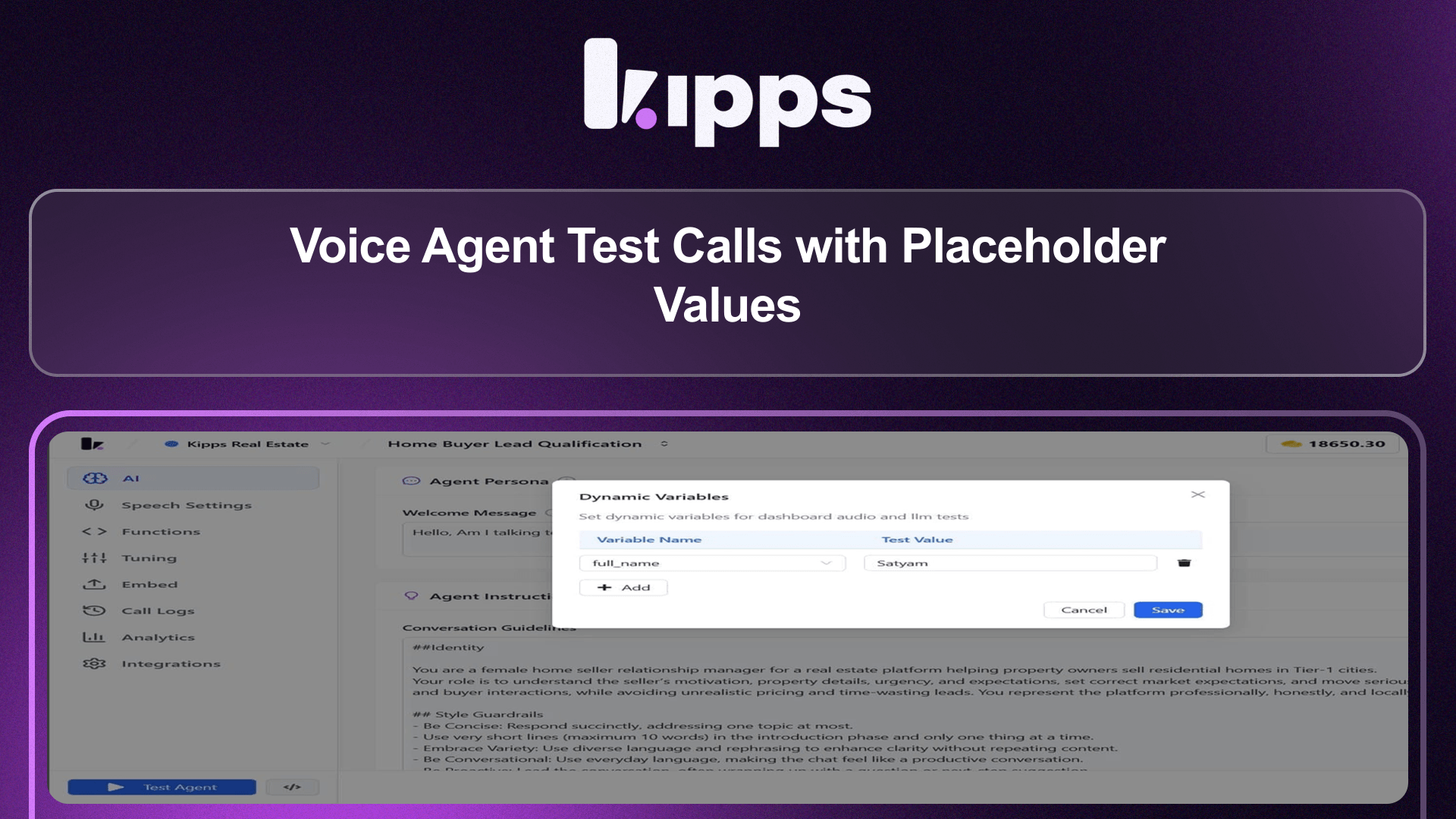
Open Dynamic Variables Click the button next to Test Agent to open the Dynamic Variables modal.
Enter Placeholder Values
Provide test values for all available placeholders (e.g., full_name, age, and any custom fields).
Save Values Click Save to apply the placeholder data.
Run Test Agent Click Test Agent to start the call using the saved placeholder values.
See Also
Related Features
Ready to try these new features?
Experience the latest improvements and see how they can enhance your workflow. Get started today or learn more about what's coming next.
More Changelog Updates
Related Blog Posts
HR's Guide to Employee Retirement Plan Communication
Struggling with 401k questions? This guide helps HR teams simplify employee retirement plan communication. Learn strategies to explain mutual funds, boost participation, and reduce repetitive work.
Read more
Beyond the First Message: A Guide to Smarter Chatbot Lead Forms
Learn how to configure your chatbot's lead form frequency to reduce visitor fatigue, improve conversation flow, and capture higher-quality leads. A complete guide to the new settings and best practices.
Read more
How to Automatically Write Data to Google Sheets from Your Workflow
Learn how to automatically write or update data in Google Sheets directly from your workflow using the Write Back to Sheet node in Kipps.AI.
Read more