
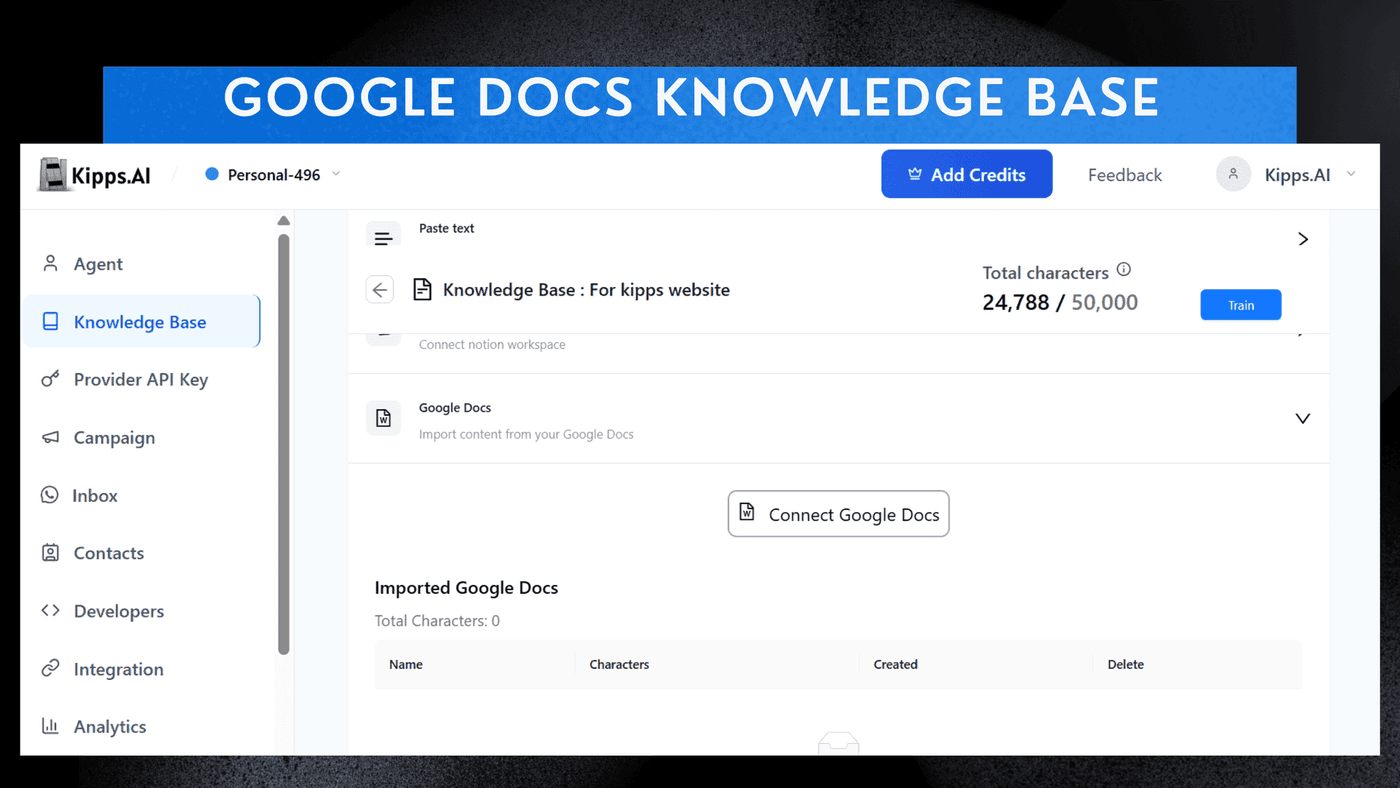
Google Docs Knowledge Base Integration

Introduction
You can now directly use Google Docs as a Knowledge Base for your AI Agents. This allows your agents to pull answers, instructions, and content from your existing Google Docs—no manual copy-paste or repeated configuration. With this integration, any updates you make to the Google Doc will automatically reflect in the agent's knowledge base, ensuring that your agents always have access to the most current information. This feature is ideal for FAQs, product information, service instructions, scripts, pricing details, SOPs, and training materials, making it easier than ever to keep your agents informed and up-to-date.
Feature Highlights
- Direct Google Docs Sync
Connect any Google Doc and make its content instantly available to your AI agent. - Auto-Updated Knowledge
Changes made in the Google Doc sync automatically, ensuring the agent always uses the latest information. - Structured Understanding
The AI parses headings, sections, and formatting to generate more accurate responses. - Multi-Agent Support
Use the same document across Voice, WhatsApp, and Chat agents. - Ideal for FAQs & Internal Docs
Perfect for product info, service instructions, scripts, pricing, SOPs, and training material.
How to Use
-
Start Agent Creation
Begin the process of creating or editing your agent. -
Access Knowledge Base
Navigate to the Knowledge Base section of the setup workflow. -
Integrate Google Docs
Edit the exisiting knowledge base or create new, Locate and select the option to Add Google Docs to instantly integrate your document as a knowledge source.
See Also
Related Features
Ready to try these new features?
Experience the latest improvements and see how they can enhance your workflow. Get started today or learn more about what's coming next.
More Changelog Updates
Related Blog Posts
Kipps.AI integration with Drupal
Kipps AI chatbot and Drupal website integration blog
Read more
Kipps.AI integration with Magento
Kipps AI chatbot and Magento website integration blog
Read more
Kipps.AI integration with Weebly
Learn how to integrate the Kipps.AI chatbot into your Weebly website. Add AI-powered customer support, lead capture, and automation to your Weebly site.
Read more