
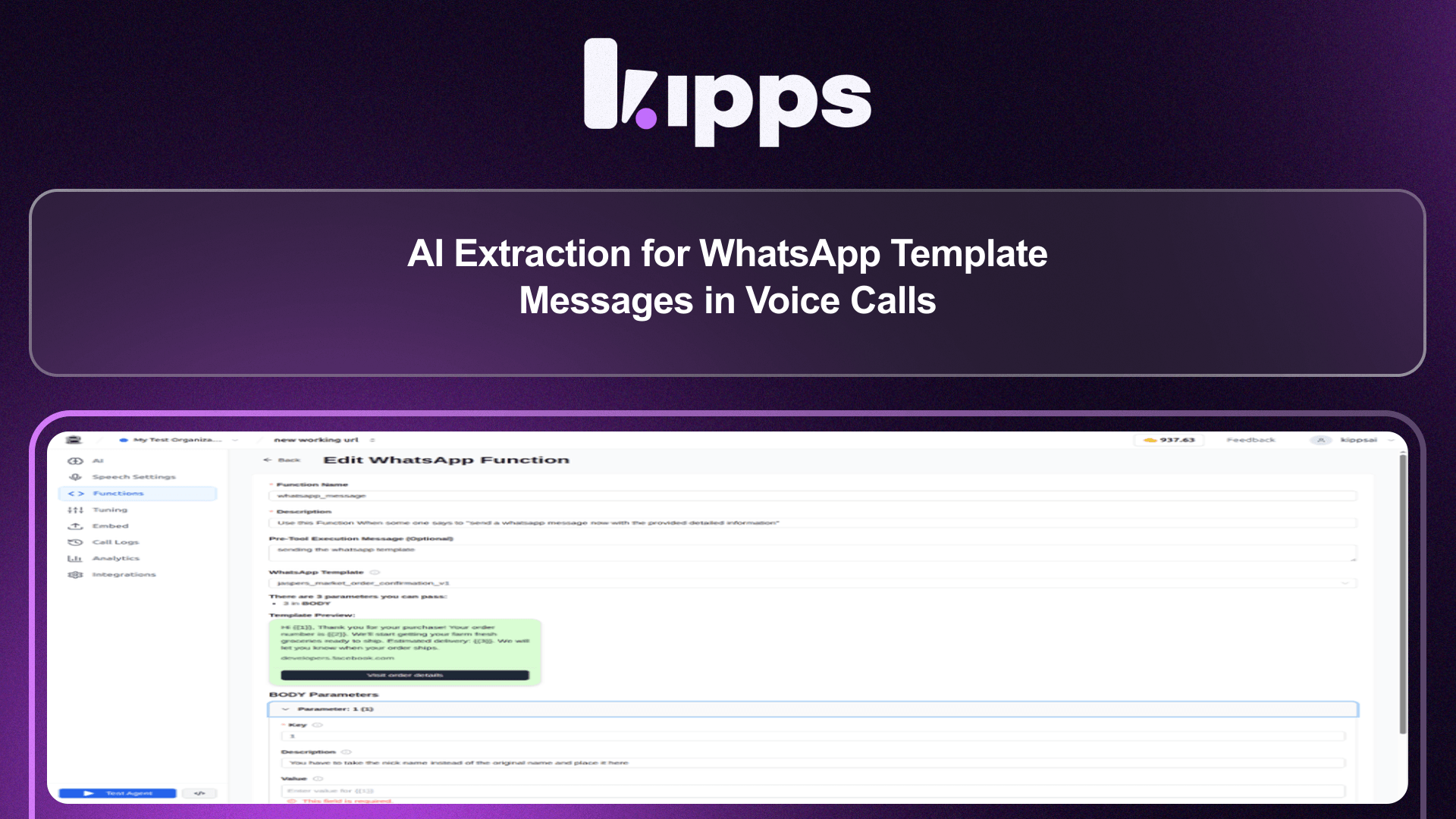
AI Extraction for WhatsApp Template Messages in Voice Calls

Introduction
This new feature enhances the WhatsApp message function by enabling AI to extract necessary parameters directly from voice and web call conversations. Previously, filling template parameters required manual input or pre-defined values. Now, agents can dynamically gather information during a call to complete WhatsApp message templates, streamlining communication workflows.
Feature Highlights
- Dynamic Parameter Extraction: The AI agent can now extract specific template parameters (like customer names or order numbers) from ongoing voice and web calls, eliminating the need for pre-defined values.
- Unified Experience Across Channels: This functionality works identically for both voice and web calls, ensuring a consistent experience and reducing setup complexity.
- Backward Compatibility: Existing WhatsApp functions without parameter descriptions will continue to work, with the agent inferring values naturally.
- Improved Safeguards: When a
Valueis required, the agent will now receive a clear, per-parameter instruction on what information to gather from the conversation before sending the message.
How to Use
- Go to the voicebot's Functions tab and add or edit a WhatsApp Message function.
- Select the WhatsApp template you want to send.
- For any parameter whose value isn't known ahead of time, leave Value blank and fill in Description instead. Provide a short hint of what that placeholder should contain (e.g., "the customer's first name", "the order number mentioned in the call").
- Save the function.
- Start a call (voice or web) and ask the agent to send the WhatsApp message. The agent will use the Description to know what information it needs to collect from the conversation before it can call the tool.
Benefits
- Dynamic Data Collection: The agent fills in dynamic, per-call details (name, order number, delivery date, etc.) straight from what's said in the conversation, removing the need to know parameter values in advance.
- Channel Consistency: Works identically for voice calls and web calls, as both go through the same tool-building code path, eliminating the need for separate setup per channel.
- Seamless Integration: WhatsApp functions saved before this change (with no Description) still work; the agent just falls back to inferring the value naturally instead of getting a specific hint.
- Enhanced Accuracy: A required
Valuekeeps the old safeguard intact: the agent still can't send the message without having gathered the info first. It now gets a clear, per-parameter instruction on what to gather instead of a vague one.
Example Workflow
A customer calls support to inquire about a recent order. During the voice call, the agent asks for the customer's name and order number. The agent then uses the new WhatsApp Message function, which has parameters for customer_name and order_id with descriptions like "the customer's first name" and "the order number mentioned in the call." The AI extracts these details directly from the conversation, populates the WhatsApp template, and sends a confirmation message to the customer with their specific order details, all without the agent needing to manually type in the information.
Result
Users can now leverage AI to automatically extract and populate WhatsApp template message parameters from both voice and web calls, leading to more efficient, dynamic, and accurate customer interactions without manual data entry.
See Also
- WhatsApp Message functions (Functions tab)
- Voicebot Functions / API Actions (shared tool-building pipeline in tool_setup.py)
- Voice call and Web call agents (livekit-backend)
Ready to try these new features?
Experience the latest improvements and see how they can enhance your workflow. Get started today or learn more about what's coming next.
More Changelog Updates
Related Blog Posts
Why WhatsApp Bot Typing Indicators Build Customer Trust
Learn how accurate typing indicators and read receipts on your WhatsApp bot build customer trust and ensure responsive conversations.
Read more
Master Your Conversational Path with Granular WhatsApp Flow Control
Learn how the Continue from previous taps setting lets you design flexible or sequential WhatsApp journeys to boost completion rates.
Read more
Personalize Customer Journeys with WhatsApp Template Button Triggers
Trigger custom AI workflows directly from WhatsApp template buttons to guide customers through interactive conversational flows.
Read more