
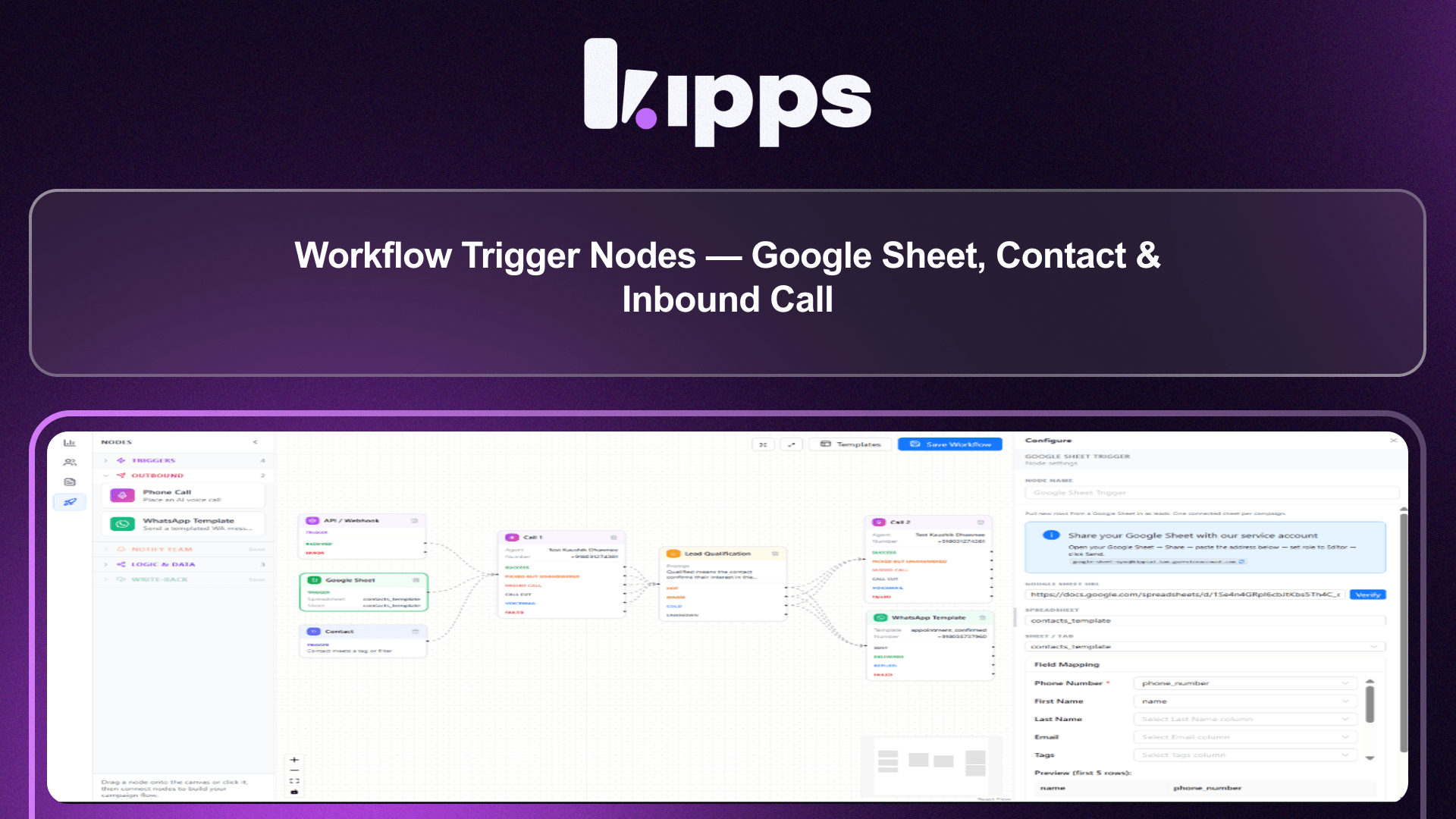
Workflow Trigger Nodes — Google Sheet, Contact & Inbound Call

Introduction
We're enhancing the campaign Workflow Builder by introducing three new trigger nodes: Google Sheet, Contact, and Inbound Call. This expansion allows workflows to initiate from a broader range of sources beyond the existing API/Webhook trigger, providing greater flexibility and automation capabilities. Additionally, workflows can now incorporate multiple trigger nodes, and the Create/Update Variable node has been improved to handle multiple variables in a single step.
Feature Highlights
- Multiple Trigger Sources: Start workflows from new rows in a connected Google Sheet, contacts matching a saved filter, or inbound calls ending on a specific number.
- Branching Workflows: Design workflows that can initiate from multiple distinct trigger nodes simultaneously, allowing for more complex and responsive automation.
- Enhanced Variable Management: The Create/Update Variable node now supports extracting and writing several variables in a single step, streamlining workflow logic and reducing node count.
How to Use
- Open a campaign's Workflow tab.
- Drag a "Google Sheet", "Contact", or "Incoming Call" node from the Triggers section onto the canvas.
- Configure it — verify and map a Google Sheet, build a contact filter, or pick an inbound-enabled phone number — then wire it into the rest of the workflow and save.
- New sheet rows, contacts matching the filter, or inbound calls that end on that number now start the workflow automatically from the matching trigger.
Benefits
- Diverse Lead Sources: A single workflow can react to multiple lead sources (sheet, contact list, inbound call) instead of only inbound webhooks.
- Direct Data Integration: Existing contacts and Google Sheets can feed a workflow directly, with no manual re-import step.
- Automated Call Follow-ups: Inbound calls can kick off a follow-up workflow (logging, qualification, etc.) right after the call ends.
- Streamlined Variable Handling: The Create/Update Variable node now supports multiple variables per node instead of one node per variable, simplifying workflow design.
Example Workflow
Imagine a marketing team running a new lead generation campaign. They can now set up a single workflow that triggers whenever a new row is added to their "New Leads" Google Sheet, or when a contact matches their "High-Value Prospect" filter. Simultaneously, any inbound calls to their sales line can also initiate a branch of the same workflow to log the call and assign a follow-up task. This allows for a unified approach to lead management, regardless of the initial source.
Result
Users can now build more robust and versatile campaign workflows that automatically react to a wider array of external events and data changes, significantly enhancing automation and reducing manual intervention across various lead generation and management processes.
See Also
- API/Webhook Trigger Node
- Campaign Workflow Builder
- Contact Filters
- Google Sheet Campaigns
Ready to try these new features?
Experience the latest improvements and see how they can enhance your workflow. Get started today or learn more about what's coming next.
More Changelog Updates
Related Blog Posts
AI-Powered WhatsApp Campaigns | Boost Engagement | Kipps.AI
Run interactive, personalized WhatsApp campaigns using AI agents. Learn how Kipps.AI helps you automate outreach and increase conversions.
Read more
AI Agent Use Cases: 12 Real-World Examples for Indian Businesses
Explore how ai agent use cases automates customer acquisition, boosts conversions, and scales operations.
Read more
AI Appointment Scheduling: How Businesses Eliminate No-Shows and Manual Booking
Explore how ai appointment scheduling automates customer acquisition, boosts conversions, and scales operations.
Read more