
Router Node for Campaign Workflows

Introduction
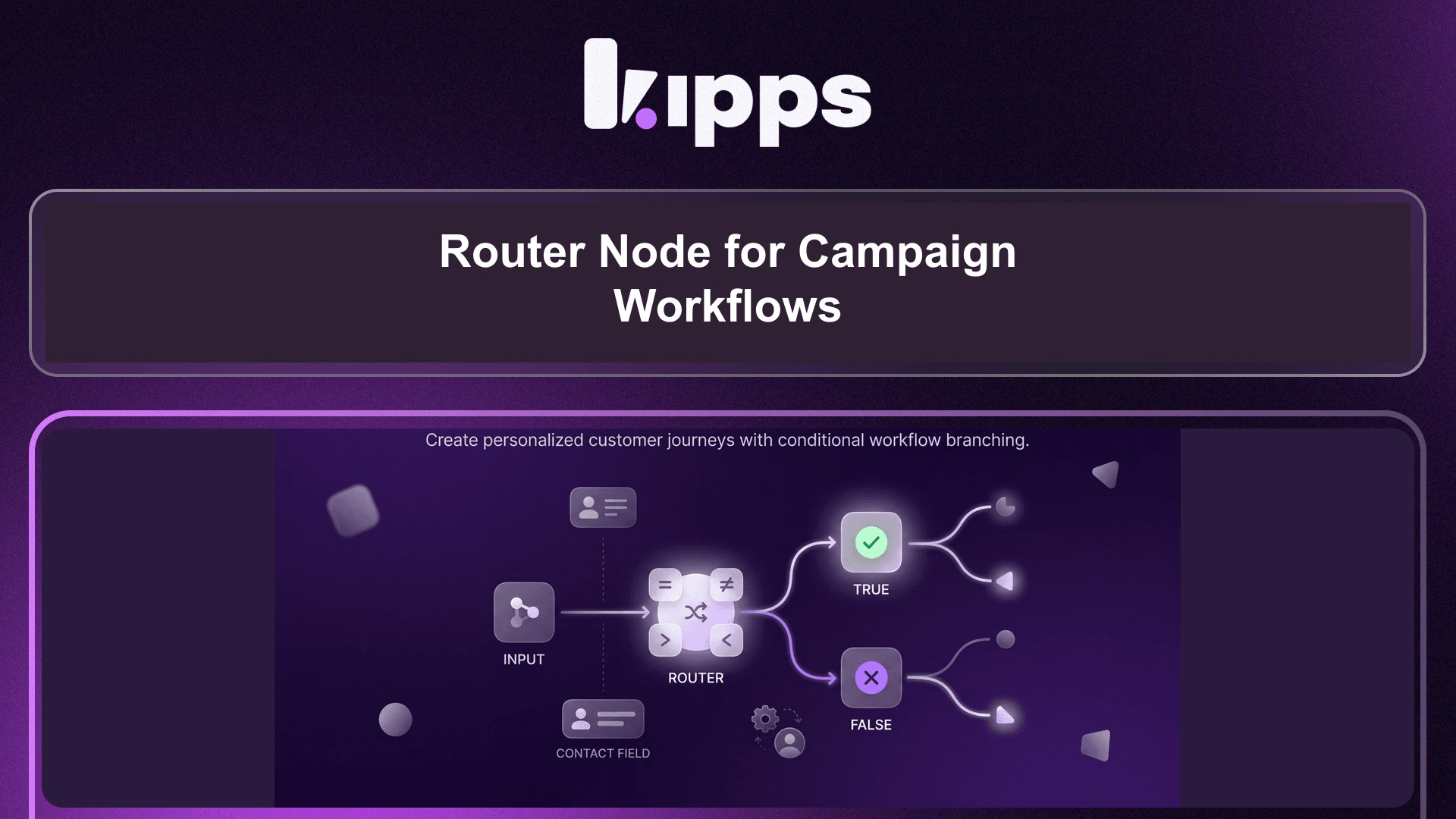
We are excited to introduce the new Router Node, a powerful addition to the Campaign Workflow Builder. This node enables you to create dynamic, branching campaign paths based on specific contact field data, allowing for more personalized and efficient customer journeys. It solves the problem of needing to create multiple, duplicated campaigns for different contact segments.
Feature Highlights
- Conditional Branching: Split your campaign workflow into two distinct paths (True/False) based on the evaluation of a single contact field.
- Flexible Operators: Compare contact field values using a comprehensive set of operators, including equals, not equals, contains, not contains, starts with, ends with, greater than, less than, greater than or equal to, less than or equal to, is empty, and is not empty.
- Custom Field Support: Utilize both standard and custom contact fields for your branching logic, providing extensive customization options for your campaigns.
How to Use
- In the campaign workflow builder, drag the Router node from the Logic & Data section onto the canvas and connect it after any node.
- Open its config panel and select a Contact Field (e.g.,
phone_number,email, or a custom field). - Choose an Operator (equals, not equals, contains, not contains, starts with, ends with, greater than, less than, ≥, ≤, is empty, is not empty).
- Enter a comparison Value if needed (not required for 'is empty' or 'is not empty' operators).
- Connect the node's True and False output handles to the next steps you want each branch to follow.
- Save the workflow.
Benefits
- Enhanced Personalization: Route contacts down different paths based on their specific data, ensuring they receive the most relevant follow-up sequences.
- Reduced Duplication: Eliminate the need to create multiple, identical campaigns for different segments, streamlining your workflow management.
- Improved Efficiency: Automate complex segmentation within a single workflow, saving time and reducing the risk of errors.
- Dynamic Segmentation: Easily segment leads by criteria such as country code, lead score thresholds, or whether a specific field is populated.
Example Workflow
Imagine you're running a global marketing campaign and want to send different follow-up messages based on a contact's country code. You can place a Router Node after an initial email send. Configure the Router Node to check the phone_number contact field using the "starts with" operator for "+91" (India) on the True path and "+1" (USA/Canada) on the False path. Contacts matching "+91" would then receive an SMS with an India-specific offer, while others matching "+1" would receive an SMS with a North America-specific offer, all within the same campaign workflow.
Result
With the Router Node, you can now build more intelligent and adaptive campaign workflows that automatically guide contacts through tailored journeys, optimizing engagement and conversion rates without the overhead of managing multiple separate campaigns.
See Also
- Lead Qualification node
- Create/Update Variable node
- Campaign Workflow Builder
Ready to try these new features?
Experience the latest improvements and see how they can enhance your workflow. Get started today or learn more about what's coming next.
More Changelog Updates
Related Blog Posts

AI Customer Service Playbook (2026): Build Smarter, Faster, Cheaper Support
The 2026 AI customer service playbook: what agentic AI can resolve today, real benchmarks from Gartner and Salesforce, the core tech stack and a 5-step rollout plan.
Read more
Kipps.AI vs Botpress (2026): Pricing, Voice AI & Which to Choose
Kipps.AI vs Botpress in 2026: compare voice AI, WhatsApp, Botpress's new per-conversation pricing vs Kipps credits, and setup speed to pick the right AI agent.
Read more
Kipps.AI vs Decagon (2026): Features, Pricing & Which AI Agent to Choose
Kipps.AI vs Decagon in 2026: compare voice AI, WhatsApp, pricing models (per-conversation vs credits), customers and setup to pick the right AI agent platform.
Read more