
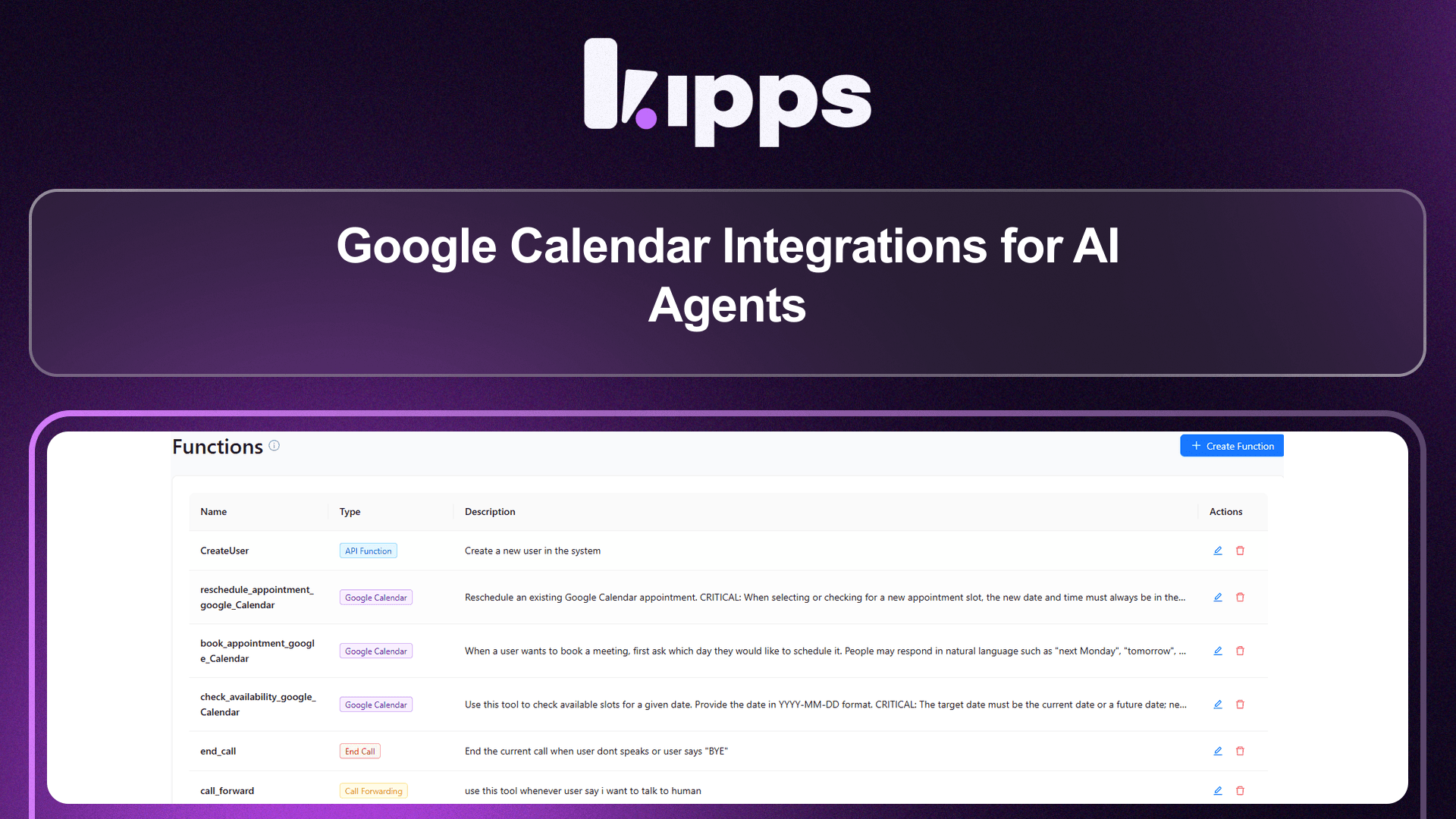
Google Calendar Integrations for AI Agents

What Changed
Google Calendar is now available as a set of built-in function types inside your AI agents. Instead of a separate integration page, you go into any Voice, WhatsApp, or Chat agent, add one or more Google Calendar functions, and the AI automatically gains the ability to use them during conversations.
Three function types are available:
- Check Availability — Check available time slots in Google Calendar for a specific date.
- Book Appointment — Book a new appointment in Google Calendar with the caller/contact's details.
- Reschedule Appointment — Reschedule an existing Google Calendar appointment to a new time.
Feature Highlights
-
Functions-Based Architecture
Google Calendar capabilities are added as discrete functions on an agent — the same way you'd add an API Function, Call Forwarding, or WhatsApp Message function. You only enable what you need. -
Works Across All Agent Types
Voice Agents, WhatsApp Agents, and Chat Agents all support Google Calendar functions. The AI uses them naturally within the conversation on any channel. -
Check Availability
The AI queries your connected Google Calendar for a given date and returns real open slots to the user mid-conversation — no manual lookup needed. -
Book Appointment
Once a slot is agreed on, the AI books the event directly in Google Calendar using the contact's details collected during the conversation. -
Reschedule Appointment
The AI can locate an existing booking and move it to a new time — entirely within the conversation, no human intervention required. -
Per-Agent Control
Each agent can have its own set of Google Calendar functions with independent configuration. Different agents can connect to different calendars.
How to Set Up
-
Open Your Agent
Go to Dashboard → Voice Agents (or WhatsApp / Chat Agents) and open the agent you want to enable calendar capabilities for. -
Go to the Functions Section
Inside the agent settings, navigate to the Functions tab. -
Click "+ Add Function"
Click the + Add Function button and select the dropdown arrow to see function types. -
Select a Google Calendar Function Type
From the Select Function Type screen, choose one of:- Check Availability — Check available time slots in Google Calendar for a specific date.
- Book Appointment — Book a new appointment in Google Calendar with user details.
- Reschedule Appointment — Reschedule an existing Google Calendar appointment to a new time.
-
Configure the Function
Fill in the function configuration — connect your Google Calendar account and set any relevant parameters (calendar ID, working hours, appointment duration, etc.). -
Save and Repeat if Needed
Save the function. Repeat steps 3–5 to add additional Google Calendar functions (e.g. add both Check Availability and Book Appointment to the same agent). -
Update Your Agent Prompt (recommended)
In the agent's system prompt, describe when the AI should use these functions — for example:
"If the lead is interested, check availability and offer to book a demo call."
The AI will call the appropriate function at the right moment in the conversation. -
Test the Flow
Trigger a test conversation. Ask the AI to check availability or book a meeting — it will query your Google Calendar in real time and complete the action within the conversation.
Example Use Cases
- Voice Agent books a sales demo — AI qualifies a lead on a call, checks calendar availability, and books a slot before hanging up.
- WhatsApp Agent reschedules an appointment — Contact messages "can we move my appointment to Friday?" — AI finds the booking and reschedules it instantly.
- Chat Agent confirms availability — User asks "are you free tomorrow at 3pm?" — AI checks the calendar and responds with real availability.
Ready to try these new features?
Experience the latest improvements and see how they can enhance your workflow. Get started today or learn more about what's coming next.
More Changelog Updates
Related Blog Posts
AI Calling Explained: How Autonomous Phone Agents Handle Calls at Scale
Explore how AI calling automates customer acquisition, boosts conversions, and scales operations.
Read more
Chat Bot vs AI Agent: What Modern Businesses Actually Need in 2026
Explore how Chat bot automates customer acquisition, boosts conversions, and scales operations.
Read more
What Is an AI Voice Agent? How It Works, Real Costs & 2026 Playbook
Explore how Voice Agent automates customer acquisition, boosts conversions, and scales operations.
Read more