
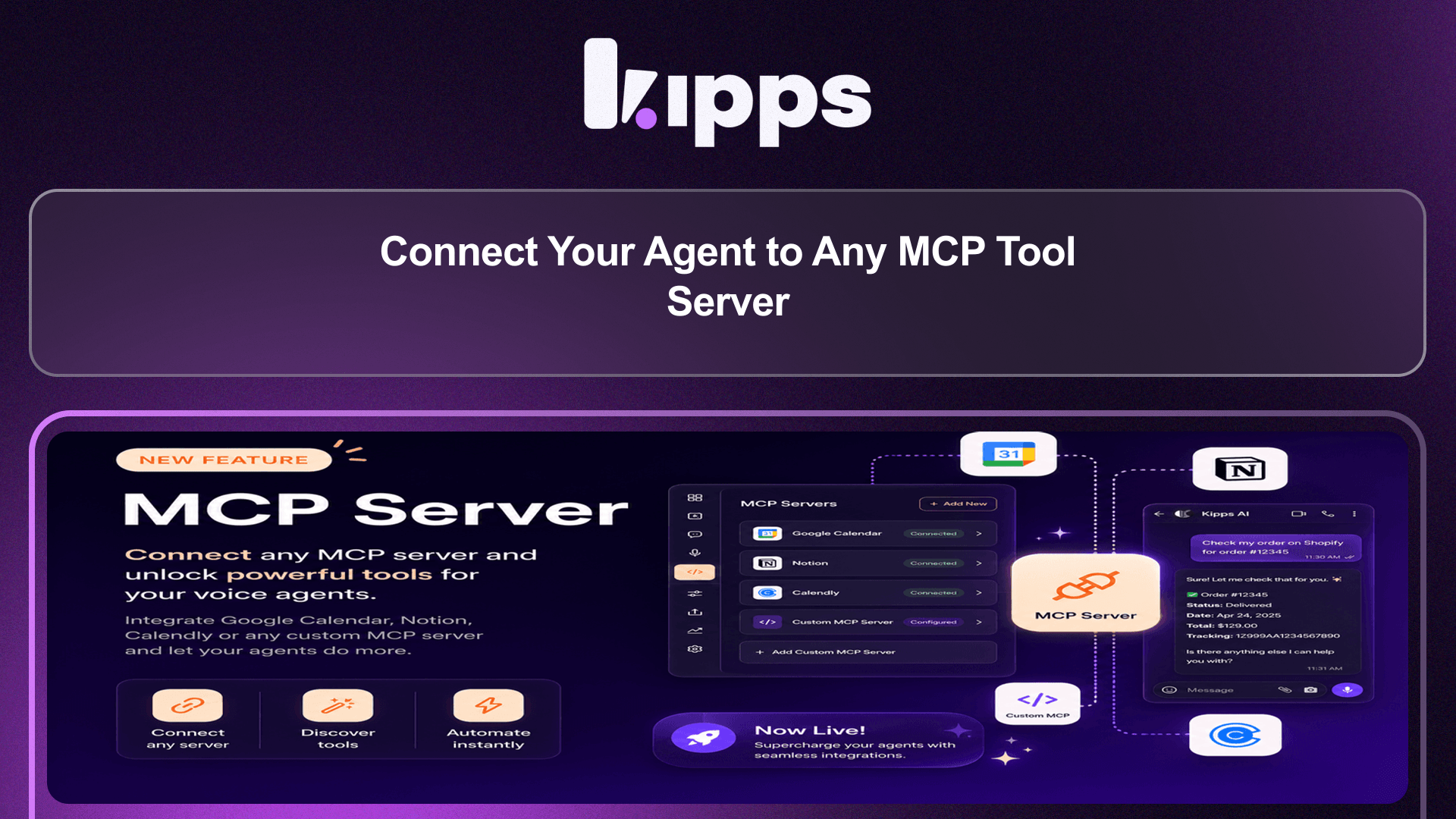
Connect Your Agent to Any MCP Tool Server

Introduction
We're excited to announce a powerful new capability for your voice agents: direct integration with any MCP (Model Context Protocol) tool server. MCP is an open standard that allows various tools and services to expose their functionalities to AI models. This means your agent can now instantly access a vast array of capabilities offered by any MCP-compatible server, eliminating the need for custom development.
Feature Highlights
- Universal Connectivity: Connect your agent to any MCP server, gaining immediate access to all the tools and services it exposes, from scheduling to order lookups.
- Simplified Setup: Configure new functions by simply providing a server URL and any necessary credentials, with real-time validation to prevent misconfigurations.
- Automatic Tool Discovery: Upon successful connection, your agent automatically discovers and lists all available tools from the MCP server, ensuring you know exactly what your agent can do.
- No-Code Integration: Empower your agent with advanced abilities like checking calendars, looking up orders, or searching product catalogs without writing a single line of code.
How to Use
- Go to your voice agent and navigate to the Functions tab.
- Click Create Function.
- Choose the MCP server option.
- Give your function a descriptive name (for your own reference) and paste in the server's URL.
- If required by your provider, add any necessary information under Headers (e.g., an API key or access token) or Query Parameters (extra options).
- Click Save. The system will connect to the server, confirm it responds correctly, and display exactly which tools it exposes (e.g., "Found 3 tools: check_availability, book_slot, and cancel_slot"). If there's an issue with the URL or credentials, you'll see an error immediately, and nothing will be saved, ensuring you never have a broken configuration.
- That's it! Your agent can now automatically use these tools whenever the conversation calls for it, with no additional setup per tool. You can connect as many MCP servers as needed and manage them from the same Functions tab.
Benefits
- Expand Agent Abilities Instantly: Give your agent new capabilities like checking a calendar, looking up an order, or searching a product catalog simply by pointing it at an MCP server, with no code or developer needed.
- Prevent Broken Configurations: The one-click save process includes a connection check, ensuring that a broken configuration can never be saved by accident.
- Clear Visibility of Tools: See exactly which tools your agent discovered, right in the success message, so you always know what it can do.
- Seamless Integration: Works alongside your existing functions (call forwarding, API Actions, WhatsApp, Agent Handoff), allowing you to mix and match as needed.
- Future-Proof Capabilities: As more services adopt the MCP standard, your agent's capabilities grow automatically—connect once, and benefit from every tool that service adds later.
Example Workflow
A customer calls your support line asking, "Can I check the status of my recent order?" Your agent, connected to your e-commerce platform via an MCP server, automatically identifies the need to look up order information. It uses the "get_order_status" tool exposed by the MCP server, retrieves the real-time status, and responds to the customer, "Certainly, your order #12345 is currently in transit and expected to arrive tomorrow." This entire interaction happens without any custom API integrations or manual lookups by a human agent.
Result
Your voice agent can now effortlessly integrate with any MCP-compatible tool server, instantly gaining access to a wide array of functionalities. This empowers your agent to perform complex tasks like scheduling, order lookups, and inventory checks using real-time data, all without custom development, significantly enhancing its utility and your operational efficiency.
See Also
- Call Forwarding Function
- API Function
- WhatsApp Function
- Agent Handoff Function
Ready to try these new features?
Experience the latest improvements and see how they can enhance your workflow. Get started today or learn more about what's coming next.
More Changelog Updates
Related Blog Posts
AI Calling Explained: How Autonomous Phone Agents Handle Calls at Scale
Explore how AI calling automates customer acquisition, boosts conversions, and scales operations.
Read more
Chat Bot vs AI Agent: What Modern Businesses Actually Need in 2026
Explore how Chat bot automates customer acquisition, boosts conversions, and scales operations.
Read more
What Is an AI Voice Agent? How It Works, Real Costs & 2026 Playbook
Explore how Voice Agent automates customer acquisition, boosts conversions, and scales operations.
Read more