
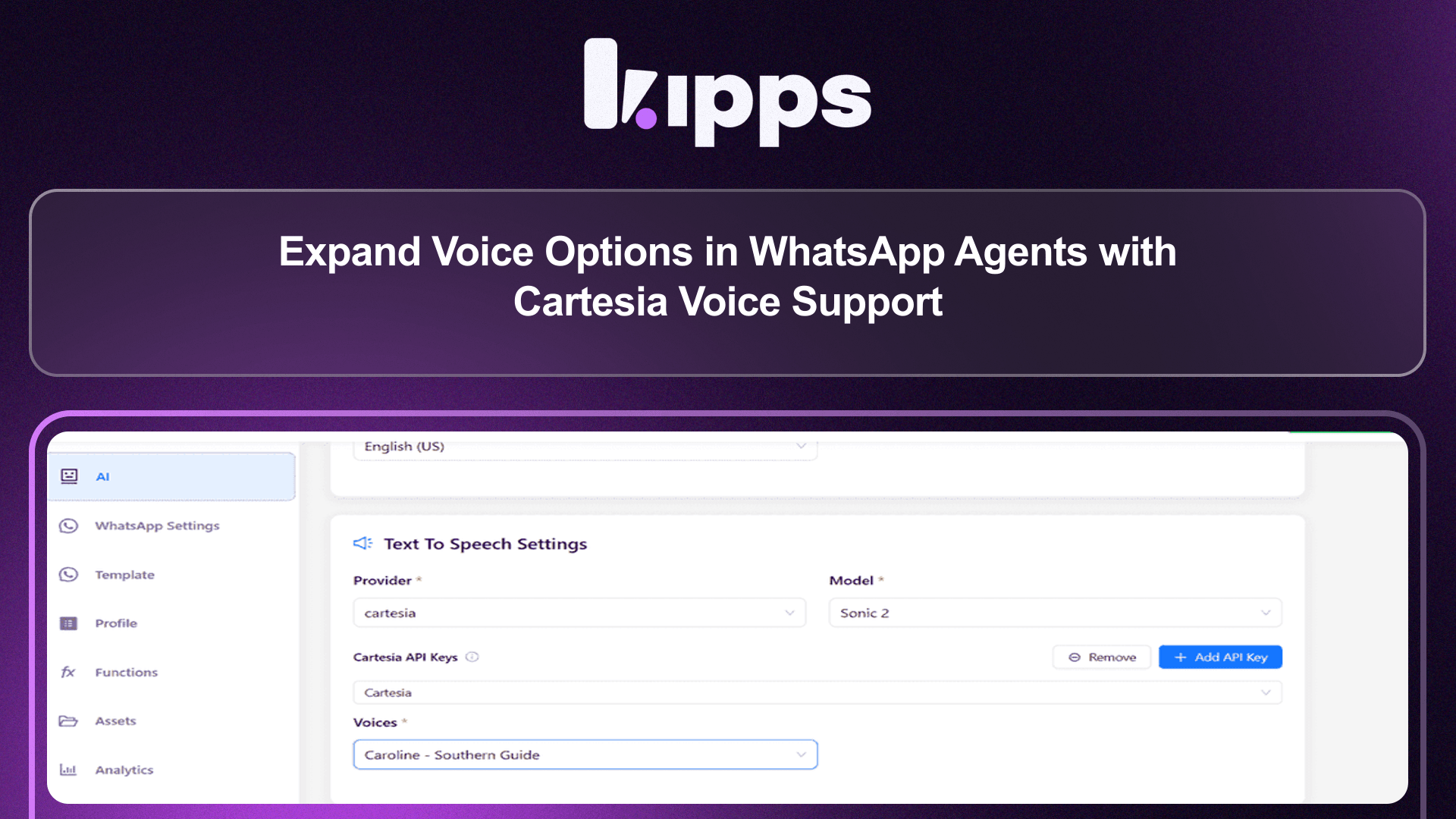
Expand Voice Options in WhatsApp Agents with Cartesia Voice Support
Expand Voice Options in WhatsApp Agents with Cartesia Voice Support
You can now use Cartesia voices in WhatsApp agents, enabling more flexibility in how your AI communicates with users through voice.
This brings Cartesia into the WhatsApp workflow, allowing consistent voice experiences across channels.
What’s New
- Cartesia voice list now available in WhatsApp agent configuration
- Ability to select and use Cartesia voices for WhatsApp interactions
- Unified voice selection experience across providers
- Seamless integration with existing WhatsApp agent setup
What This Solves
Previously:
- Cartesia voices were not available in WhatsApp agents
- Users were limited to specific voice providers for WhatsApp
- Inconsistent voice experience across channels
This led to:
- Limited customization of voice interactions
- Fragmented setup between different channels
Now, Cartesia voices can be used directly in WhatsApp agents, ensuring greater flexibility and consistency.
How It Works
- Open WhatsApp agent configuration
- Select TTS provider → Cartesia
- Choose a voice from the available list
- Preview the voice if needed before saving the configuration
- Save configuration
- Deploy and use in WhatsApp conversations
Why This Matters for Your Business
More Personalized Interactions
Choose voices that better match your brand tone.
Cross-Channel Consistency
Use the same voice provider across different communication channels.
Greater Flexibility
Avoid being restricted to a single voice provider for WhatsApp.
Key Benefits
- Expanded voice options — More control over how your AI sounds
- Consistent experience — Align voice across platforms
- Better customization — Match brand voice and use case
- Improved engagement — More natural and varied voice output
User Impact
For Users
- More voice choices in WhatsApp agents
- Easier configuration with unified voice selection
- Better control over AI voice behavior
Summary
Cartesia voice support in WhatsApp agents expands voice flexibility and enables more consistent, customizable AI interactions across channels.
Ready to try these new features?
Experience the latest improvements and see how they can enhance your workflow. Get started today or learn more about what's coming next.
More Changelog Updates
Plan Campaign Capacity with WhatsApp Daily Messaging Limits
March 25, 2026
AI Inbound Lead Qualification from Phone Calls
March 25, 2026
Enhance Multi-Channel AI Performance with Gemini 3 Model Support
April 20, 2026
Launch Voice Operations Faster with Native Phone Number Purchase
April 20, 2026
Related Blog Posts
Why WhatsApp Bot Typing Indicators Build Customer Trust
Learn how accurate typing indicators and read receipts on your WhatsApp bot build customer trust and ensure responsive conversations.
Read more
Master Your Conversational Path with Granular WhatsApp Flow Control
Learn how the Continue from previous taps setting lets you design flexible or sequential WhatsApp journeys to boost completion rates.
Read more
Personalize Customer Journeys with WhatsApp Template Button Triggers
Trigger custom AI workflows directly from WhatsApp template buttons to guide customers through interactive conversational flows.
Read more