
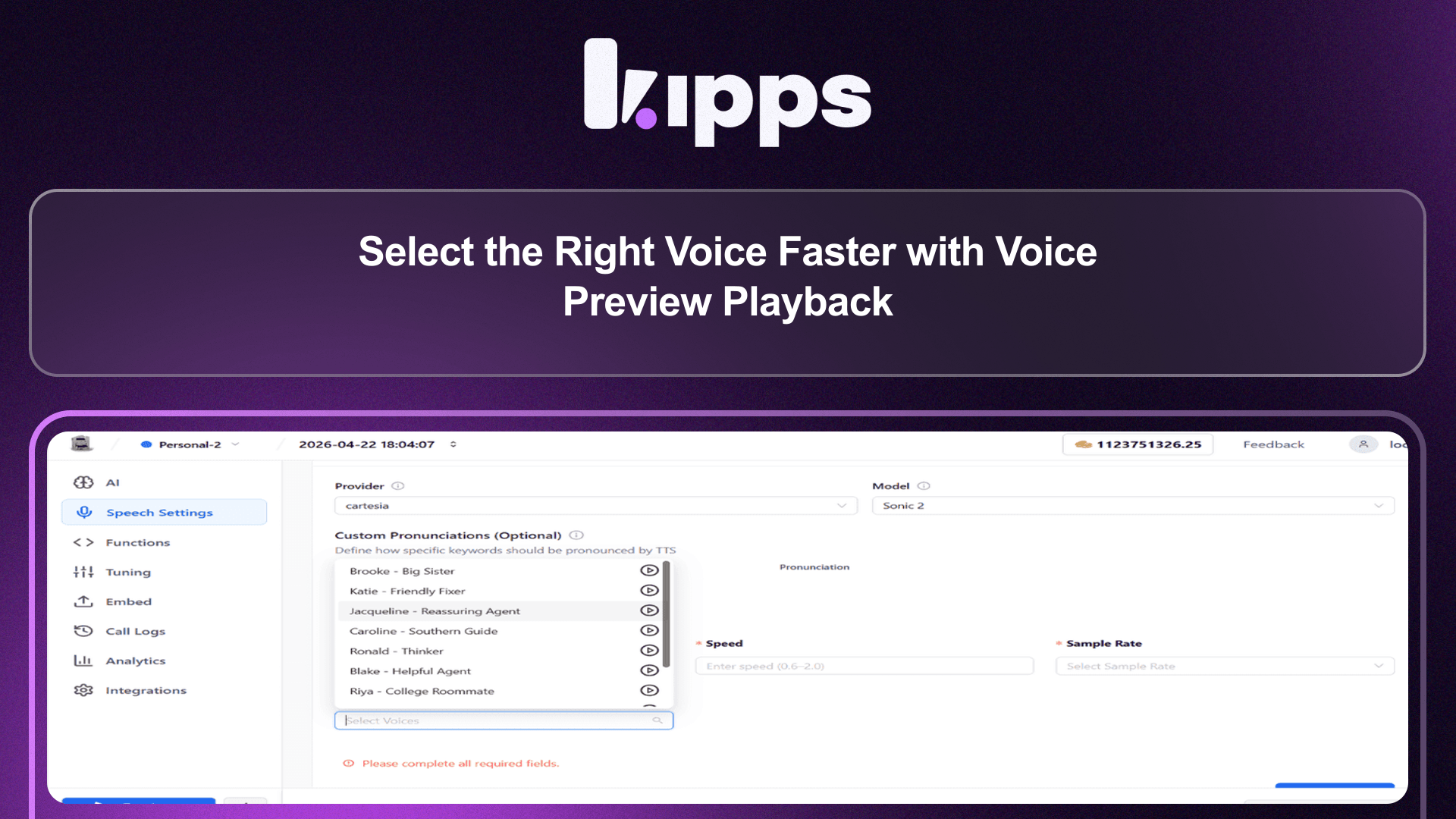
Select the Right Voice Faster with Voice Preview Playback
Select the Right Voice Faster with Voice Preview Playback
You can now listen to voice previews before selecting a voice, making it easier to choose the right tone and style for your AI agents.
This feature is available across both Voicebot and WhatsApp agent TTS settings.
What’s New
- Play button for each voice to preview audio instantly
- Voice preview available in:
- Voicebot TTS settings
- WhatsApp agent TTS settings
- Faster and more informed voice selection workflow
What This Solves
Previously:
- Users had to select a voice without hearing it
- Trial-and-error was required after saving configuration
- Voice selection was time-consuming and inconsistent
This led to:
- Poor voice-to-brand alignment
- Repeated configuration changes
- Slower setup process
Now, users can preview voices instantly before selecting, eliminating guesswork.
How to Use
- Open your AI agent (Voicebot or WhatsApp)
- Go to Speech Settings / TTS configuration
- Select your provider (e.g., Cartesia)
- Select your model
- Select/Add your api key if required
- View the list of available voices
- Click play icon to preview
- Choose the voice and save settings
Why This Matters for Your Business
Better Voice Selection
Choose voices that align with your brand tone and audience expectations.
Faster Setup
Eliminate trial-and-error by making decisions upfront.
Improved User Experience
Deliver more natural and appropriate voice interactions.
Key Benefits
- Instant feedback — Hear voices before applying
- Reduced iteration — Fewer configuration changes
- Better customization — Match tone, style, and persona
- Consistent experience — Same workflow across channels
User Impact
For Users
- Easier and faster voice selection
- More confidence in chosen voice
- Reduced need for repeated testing
Summary
Voice preview playback simplifies the voice selection process by allowing users to listen before choosing, reducing guesswork and improving overall interaction quality across Voicebot and WhatsApp.
Ready to try these new features?
Experience the latest improvements and see how they can enhance your workflow. Get started today or learn more about what's coming next.
More Changelog Updates
Related Blog Posts
AI Agent Use Cases: 12 Real-World Examples for Indian Businesses
Explore how ai agent use cases automates customer acquisition, boosts conversions, and scales operations.
Read more
AI Appointment Scheduling: How Businesses Eliminate No-Shows and Manual Booking
Explore how ai appointment scheduling automates customer acquisition, boosts conversions, and scales operations.
Read more
10 Proven Benefits of AI Chatbots for Businesses (With Real Numbers)
Explore how ai chatbot benefits automates customer acquisition, boosts conversions, and scales operations.
Read more