
Introducing: Contacts, Tags & Custom Fields

Introducing: Contacts, Tags & Custom Fields
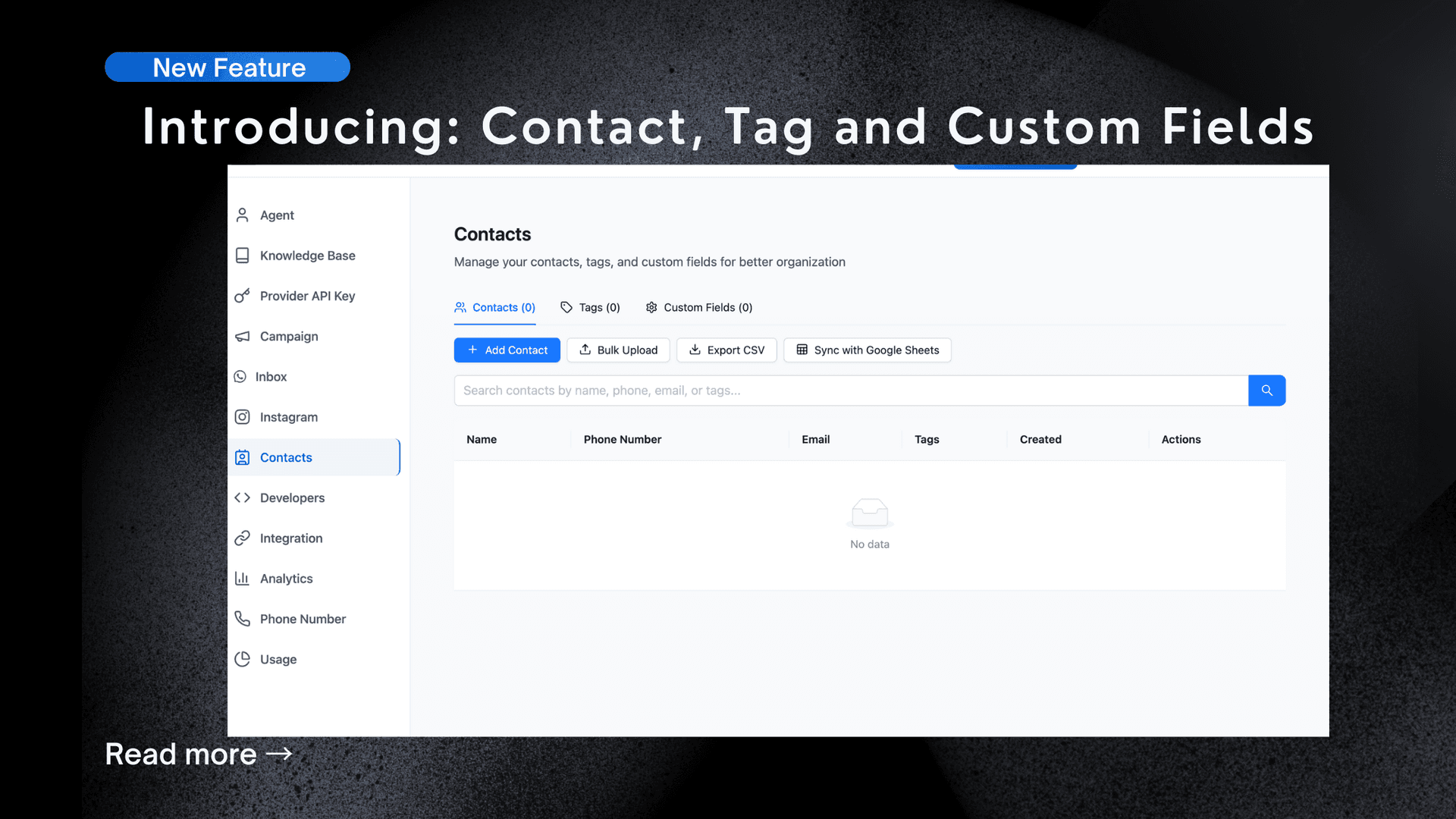
Managing customer data inside Kipps.AI just became more powerful, organized, and flexible. We’re excited to introduce a new Contact Management System built for personalization and smarter automation. With this update, you can now store detailed contact information, organize your audience with customizable tags, and create custom fields to capture the unique data points that matter most to your business. This is a foundational upgrade that enhances how you manage relationships and run workflows on Kipps.AI, making it easier than ever to deliver personalized experiences and targeted campaigns.
What’s New
1. Contacts Module
You can now store, view, and manage all your customer and lead information directly inside Kipps.AI.
- Unified contact profile with basic info
- Timeline of interactions across Chat, Voice, and WhatsApp
- Easy search, sort, and filters
This makes it easier for teams to understand every customer’s history and context.
2. Tags for Smart Segmentation
Organize contacts using customizable Tags to create targeted groups.
- Add multiple tags to any contact
- Filter conversations and contacts using tags
- Build campaign lists based on tag groups
- Perfect for segmenting leads, customers, partners, or VIP users
Tags make audience targeting faster and more accurate.
3. Custom Fields for Deeper Personalization
Every business is different—so now your contact data can be too.
- Add custom attributes like Location, Plan Type, Use Case, Budget, Industry, Status, etc.
- Use custom fields in workflows, integrations, and message personalization
- Fully supports text, numbers, dates, dropdowns, and boolean values
Custom fields help AI agents deliver more context-aware answers and allow teams to store exactly the data they need.
Why This Matters
These updates unlock powerful new capabilities:
- Better lead qualification & nurturing
- More personalized AI responses
- Smarter segmentation for marketing campaigns
- Cleaner and more structured CRM-like experience inside Kipps.AI
- Easier automation based on tags and stored attributes
This is a foundational upgrade that strengthens how businesses manage relationships and run workflows on Kipps.AI.
How to Get Started
- Access Contacts
Go to Dashboard → Contacts to view and manage your contact list. - Add New Contact Click Add Contact to create a new profile with basic info and custom fields.
- Create Tags
Use the Tags section to create and assign tags to your contacts for better organization. - Define Custom Fields
Set up custom fields that are relevant to your business and use them to capture important data points. - Use in Campaigns
Leverage tags and custom fields in your Campaigns for smarter automation and personalization.
See Also
Related Features
Ready to try these new features?
Experience the latest improvements and see how they can enhance your workflow. Get started today or learn more about what's coming next.
More Changelog Updates
Related Blog Posts

AI Voice Agents for Banking: A Strategic Guide
For banking leaders: This guide is a blueprint for using AI voice agents to build a secure, compliant, and inclusive CX, moving beyond generic pitches.
Read moreMultilingual Chatbot: A Guide to Convert Global Traffic
Losing global sales to language barriers? This guide provides a strategic framework for implementing a multilingual chatbot to deliver a seamless, native-language experience.
Read moreBoost Agent Retention: 5 Proven Strategies for Brokerages
High agent turnover hurting your brokerage? Discover 5 actionable strategies, from better onboarding to continuous feedback, to build a loyal and productive team.
Read more