Connect your Plivo Number to Kipps.AI Voice Agent for Outgoing Calls
Connect your Plivo number to Kipps.AI to enable AI-powered outbound calling for sales outreach, appointment reminders, and proactive customer engagement.

Introduction
Kipps.AI is a no-code platform for building and deploying AI agents — Chat Agents, Voice Agents, and WhatsApp assistants — without writing code. If your business uses Plivo for voice communication, you can connect your Plivo number to a Kipps.AI voice agent and enable AI-powered outbound calling: appointment reminders, lead follow-ups, feedback calls, and order updates, delivered through natural, two-way conversation rather than a static recording.
This guide is for teams already using Plivo who want their Kipps.AI voice agent to initiate calls, not just answer them. Outbound integration uses SIP trunking rather than the simple webhook used for incoming calls, so setup involves a few extra fields — a termination URL, a SIP trunk username, and a SIP trunk password. Outbound calling is also a different operational posture from inbound: your agent is reaching out on your schedule rather than answering a caller who initiated contact, which brings real consent and timing responsibilities that don't apply to inbound support lines. We cover both the setup and those responsibilities below. If you're routing calls customers place to you, see our incoming-calls guide instead.
Prerequisites
- An active, funded Plivo account. Outbound calls draw down your Plivo balance per minute, so billing needs to be current.
- A Plivo number with outbound voice and SIP trunking enabled, provisioned for the countries you'll be calling into.
- A Kipps.AI account (sign up here) with a voice agent built specifically for your outbound use case — script, tone, and objective tested in the simulator before it places live calls.
- Your Plivo SIP trunk credentials — the termination SIP URI, trunk username, and trunk password — needed to complete the Kipps.AI side of the configuration.
- A clean, purpose-built calling list, deduplicated, with a clear and legitimate reason for each call.
- Familiarity with consent and calling-hour rules in the markets you're calling into, covered further in Best Practices.
How to Get Started with Plivo Outbound Calls on Kipps.ai
Step 1: Log in to Kipps.AI
Log in (or sign up) at Kipps.AI.
Step 2: Start the Plivo outbound integration
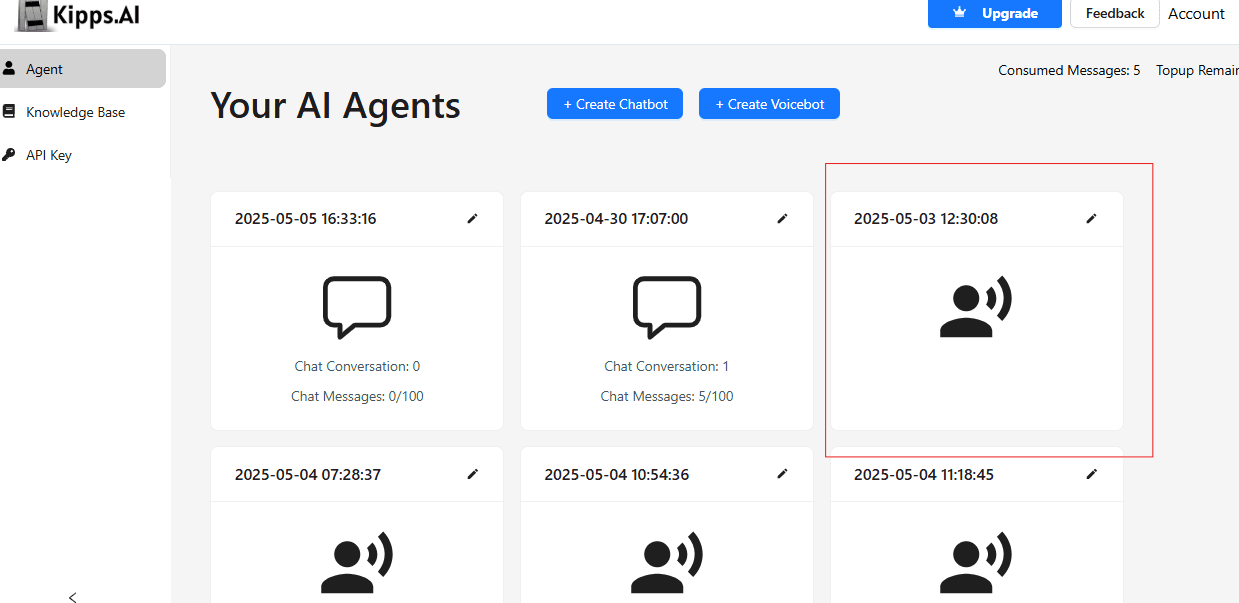
Select or create the voice agent that will place these calls, and confirm you're configuring outbound rather than inbound.
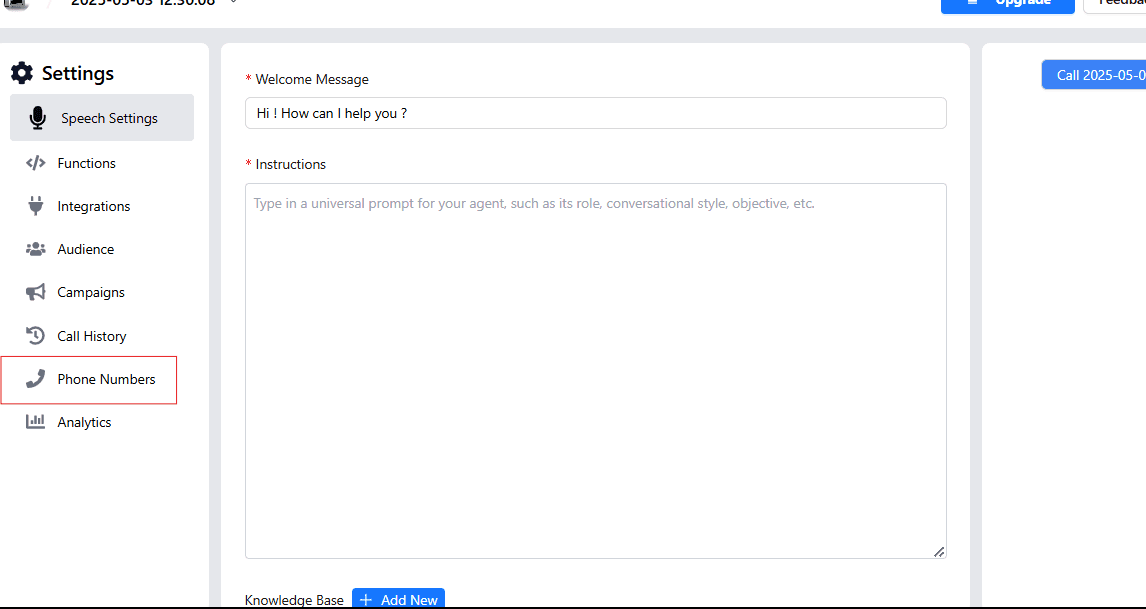
Step 3: Go to the Phone Number section
Step 4: Click "Connect phone number"
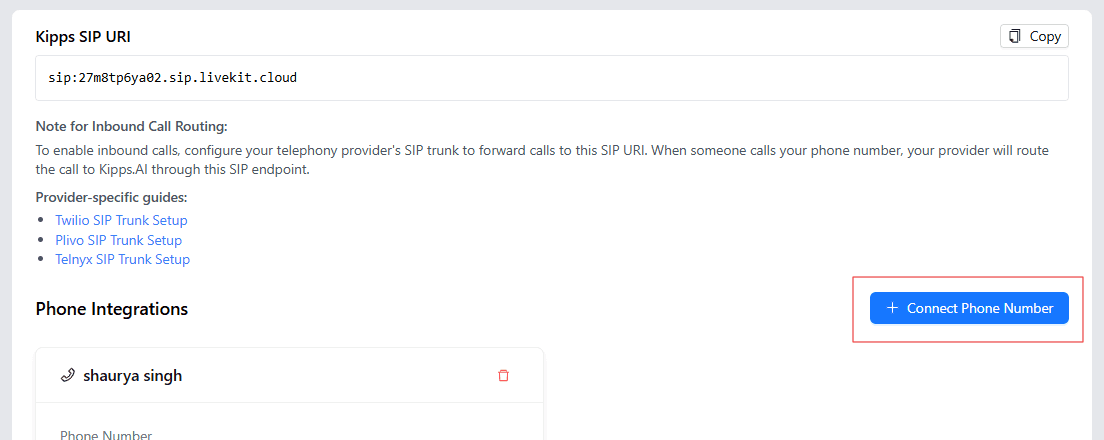
Step 5: Enter a nickname and your Plivo number
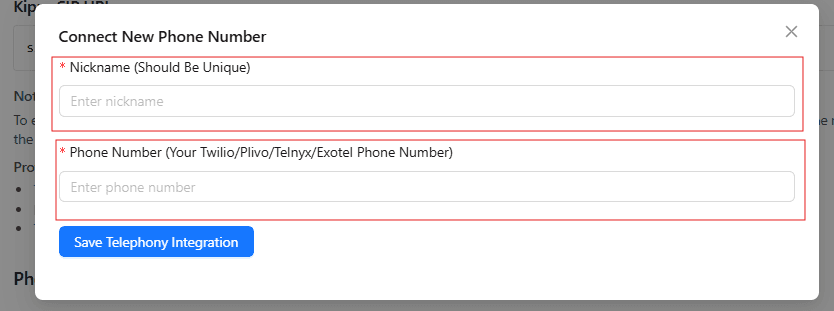
Name the connection after its campaign or purpose (e.g., "Feedback Calls — Plivo") so it's easy to identify as you add more numbers.
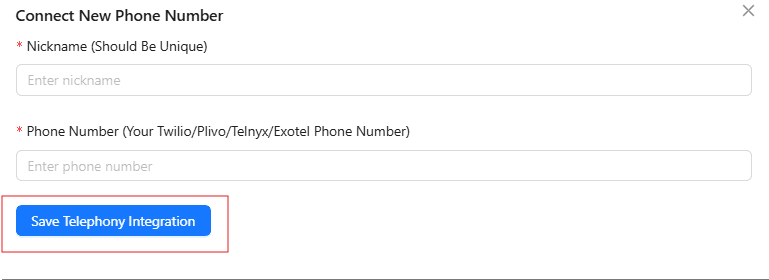
Step 6: Save the telephony integration
Step 7: Copy the Kipps SIP URI
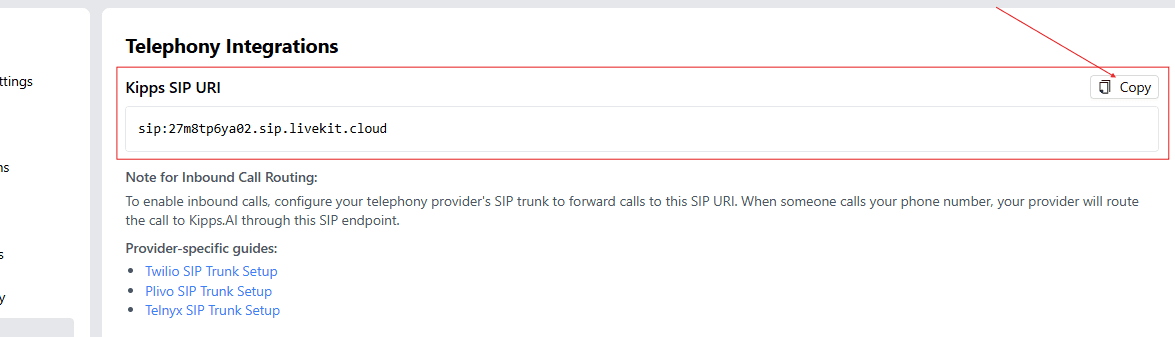
You'll paste this into your Plivo SIP trunk configuration in Step 9 — it's the address Plivo routes your agent's outbound calls through.
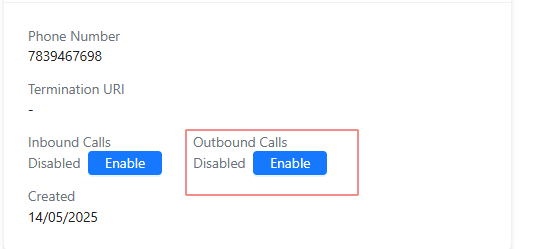
Step 8: Enable outbound calls
Step 9: Fill in the termination URL (SIP URL)
This is the same SIP URI you copied in Step 7.
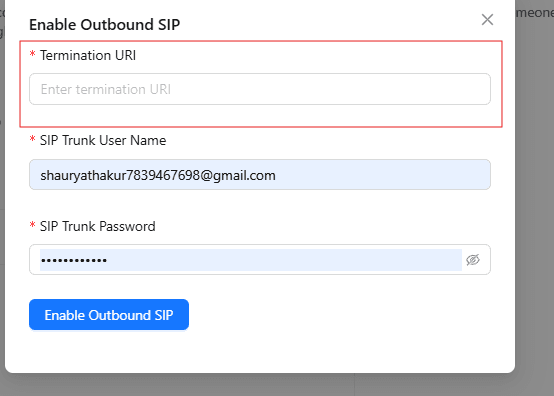
Copy this value directly rather than retyping it — a single mistyped character here is the most common cause of outbound calls failing to place.
Step 10: Fill in the SIP trunk username
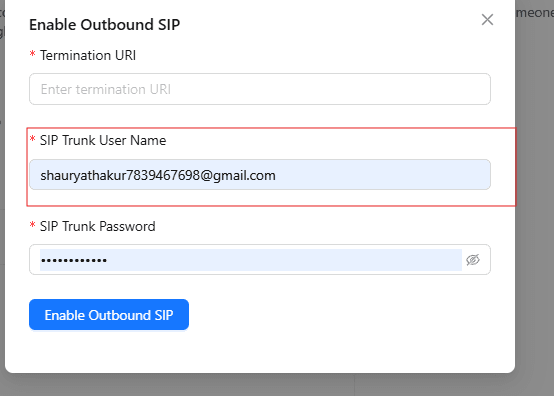
Find this credential in your Plivo SIP trunking settings.
Step 11: Enter the SIP trunk password
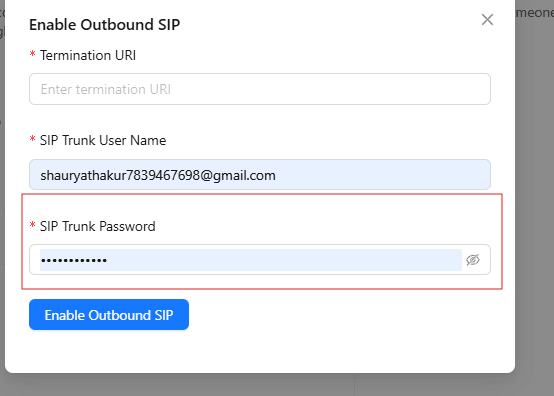
Treat this credential as a production secret.
Step 12: Enable outbound SIP
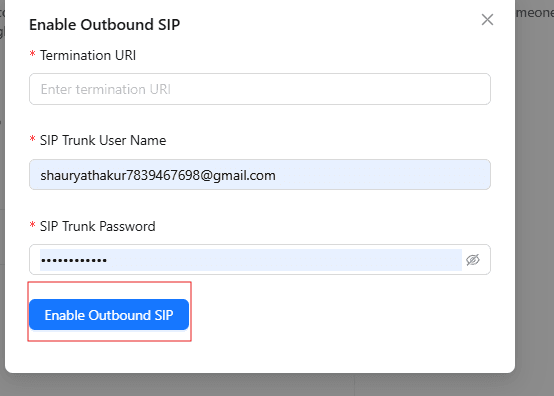
Once enabled, your agent can place calls through this Plivo number. Test with a small batch of calls to your own phones before pointing it at a live list.
Troubleshooting
- Outbound calls fail to place. Verify the termination URL exactly matches the Kipps SIP URI, and that the SIP trunk username and password are current and correctly entered.
- Calls place but disconnect immediately. Usually an authentication mismatch — check whether the SIP trunk credentials have changed in Plivo since you copied them.
- Calls connect but there's no audio, or one-way audio. Typically a network or codec path issue between Plivo and the receiving carrier. Test across multiple destination numbers and networks to isolate the cause.
- High failure rate to a specific region or carrier. Check Plivo's call logs and delivery reports for that route — some carriers apply extra filtering to high-volume automated traffic.
- Recipients report your number as "Spam Likely." This is a carrier-side reputation signal tied to calling patterns, not a Kipps.AI configuration issue — steady, expected volume tends to hold up better than sudden bursts.
- SIP trunk shows connected in Plivo but calls still don't place from Kipps.AI. Confirm outbound SIP is specifically toggled on in Step 12 — saving credentials alone doesn't activate outbound calling.
If issues persist, contact kipps.ai/contact-sales with your account details and timestamps of failed calls.
Best Practices
- Start with a small test batch. Run 10–20 calls to confirm script accuracy, audio quality, and call handling before scaling to your full list.
- Respect consent and opt-out requests. Only call numbers with a legitimate basis for contact — existing customers, opted-in leads, or people expecting a callback — and remove anyone who asks not to be called again, promptly and permanently.
- Observe calling-hour restrictions. Many regions restrict when outbound calls, and automated calls in particular, can be placed. Build allowed calling windows directly into your campaign scheduling.
- Understand the regulatory requirements for your market before scaling, especially in regulated sectors like finance and healthcare. Rules on automated and AI-assisted calling vary by country — when uncertain, consult counsel familiar with telemarketing regulation where you operate.
- Track answer rates and delivery metrics, not just SIP connectivity — a falling answer rate is often the earliest sign of carrier-side filtering.
- Give the agent a graceful exit for objections or stop requests. It should end the call respectfully and log the request rather than continuing the script.
- Spread call volume across numbers for large campaigns to reduce the risk of any single number being flagged for high call frequency.
Frequently Asked Questions
Incoming calls use a webhook so Plivo knows to send calls to Kipps.AI. Outbound calls use a SIP trunk connection, requiring a termination URL, username, and password so your agent can place calls out through Plivo.
Yes — apply the same consent standards to AI-placed outbound calls as you would to human-placed ones. Only call people with a legitimate basis for contact, honor do-not-call requests, and confirm the specific rules that apply in your market before scaling a campaign.
Yes, but each direction is configured separately in Kipps.AI — the inbound webhook and outbound SIP trunk are typically set up independently, even for the same number.
A properly configured agent recognizes the request and transfers to a live agent when one is available, or logs a callback request when it isn't.
Watch your answer-rate trends and Plivo's delivery reports. A steep, sudden drop in answer rate — particularly concentrated on one carrier — is a common early sign of caller ID reputation issues.
Yes. Each number is connected and configured independently in the Phone Number section, so you can run separate campaigns — different scripts, different lists, different agents — from different numbers in parallel.
Get Started
Plivo SIP trunking paired with a Kipps.AI voice agent turns outbound calling into a scalable, consistent operation instead of a manual grind. Talk to our team about setting up your first outbound campaign, or explore the platform at kipps.ai.