
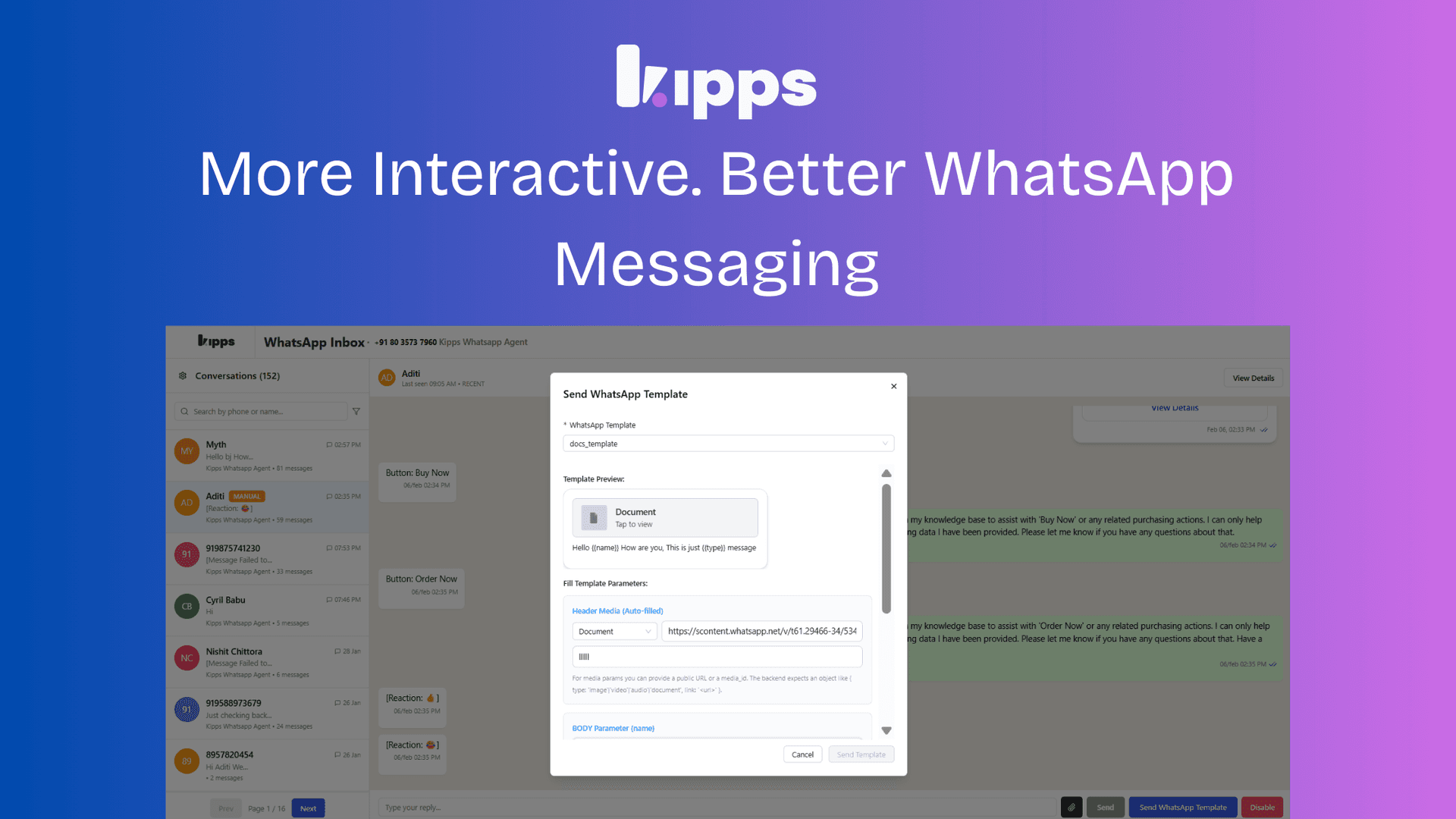
More Professional. More Interactive. Better WhatsApp Messaging.

WhatsApp Template Messaging Enhancements
We’ve introduced new enhancements to WhatsApp template messaging to help teams communicate more clearly, professionally, and interactively. These updates apply to both Inbox and Campaign workflows.
Document Templates with Custom File Names
What’s New
You can now assign a custom document name when sending document-based WhatsApp templates. Recipients will see this name instead of a generic or system-generated file name.
Why This Matters
Clear, descriptive file names make shared documents easier to recognize and reference, improving the overall communication experience.
Key Benefits
- Documents are instantly identifiable
- Reduces confusion and follow-up clarification
- Delivers a more professional and branded interaction
Available in: Inbox and Campaigns
Summary of Improvements
These enhancements make WhatsApp messaging more powerful and effective:
- Clearer communication through custom document names
- Richer engagement with interactive carousel messages
- Greater flexibility across both Inbox and Campaign workflows
Together, these updates help teams deliver information in a way that is easier to understand, more professional in presentation, and more engaging for end users.
Ready to try these new features?
Experience the latest improvements and see how they can enhance your workflow. Get started today or learn more about what's coming next.