The Ops Guide to WhatsApp Lead Qualification
For Ops teams in retail. Learn to set up an automated WhatsApp lead qualification funnel. This guide covers key questions, CRM integration, and KPIs.

Share This Article
Table of Contents
What is WhatsApp Lead Qualification? (And Why Ops Teams Care)
WhatsApp lead qualification is the process of using the messaging platform to systematically gather information from new leads to determine if they are a good fit for your business. It’s about asking the right questions to separate high-potential buyers from tire-kickers, researchers, or support inquiries before they ever reach a sales agent.
For operations teams, this isn't just a marketing function; it's a core efficiency play. Without a formal process, every incoming chat is treated equally, forcing your team to manually sift through hundreds of conversations. This creates a messy, unscalable workflow that directly impacts the sales pipeline.
A structured qualification process turns chaotic, real-time communication into a predictable system. It ensures that your sales team’s valuable time is spent only on conversations that have a real chance of converting, making forecasting more accurate and creating a smoother operational handoff between marketing and sales.
Key Benefits: Beyond Speed to Lower Cost-Per-Lead
While instant lead response time is a major advantage of WhatsApp, the operational benefits run much deeper, directly impacting your bottom line. An effective qualification engine transforms your unit economics by focusing resources where they matter most.
Lower Cost-Per-Qualified-Lead (CPQL)
By using automation to handle the initial screening, you filter out unqualified leads without any human intervention. This means your payroll cost is only applied to leads who have already demonstrated genuine interest and fit. Your marketing spend becomes more efficient because you stop wasting expensive agent time on dead-end conversations, dramatically lowering the true cost to acquire a sales-ready lead.
Streamlined Sales Pipeline & Agent Focus
When sales agents only receive pre-vetted leads, their entire workflow changes. They can skip the repetitive discovery questions and jump straight into high-value consultation. This not only increases their conversion rates but also boosts morale. It transforms their role from filtering noise to closing deals, making the entire sales pipeline more efficient and predictable.
Consistent and Scalable Customer Engagement
A well-designed WhatsApp lead qualification process provides a consistent, professional experience for every inbound lead, 24/7. It ensures every person gets an immediate, helpful response, even if it's to guide them to a support doc or blog post. This level of customer engagement is impossible to scale with manual processes alone and builds brand trust from the very first interaction of the D2C customer journey.
Setting Up Your WhatsApp Lead Qualification Funnel (Step-by-Step)
Building a robust qualification funnel on WhatsApp is about creating a structured, repeatable process. This isn't about aimless chatting; it’s about designing an automated workflow that guides a user from initial contact to a qualified sales opportunity.
Step 1: Define Your Qualification Criteria
Before writing a single message, define what a "qualified lead" means for your business. Collaborate with the sales team to create a simple lead scoring model. Identify the key attributes—like product interest, purchase timeline, or specific use case—that signal a high-quality lead. For a retail brand, this might be interest in a high-value product category versus a general inquiry.
Step 2: Map the Conversational Flow
Visualize the entire conversation from the first "hello" to the final handoff. What is the first message your bot will send? What are the 3-5 essential questions it will ask? Use a simple flowchart to map out the different paths a user can take based on their answers. This ensures your automated workflow can handle common variations and guide users effectively.
Step 3: Implement Your Tech Stack
To run this at scale, you need the WhatsApp Business API and a platform to manage it. The API provides the connection, while a business solution provider gives you the tools to build chatbots, manage conversations, and integrate with other systems. This is the foundation for creating a powerful WhatsApp lead generation campaign that connects directly to your operational tools.
Step 4: Configure the Bot-to-Agent Handoff
Determine the exact trigger that moves a conversation from the bot to a human agent. This trigger should be based on your qualification criteria from Step 1. When a lead's score hits a certain threshold or they explicitly ask to speak with someone, the system should automatically route the conversation and its entire history to the correct sales agent or team for immediate follow-up.
The 5 Essential Questions to Ask Every Lead on WhatsApp
The goal of conversational lead qualification is to feel natural, not like an interrogation. These five questions, adapted for a messaging environment, help you gather the necessary data without overwhelming the user. They are designed to be asked by a chatbot as the first line of defense.
1. "What brings you here today?" (Uncover Need)
This open-ended question is the perfect starting point. It allows the lead to state their intent in their own words. Their answer immediately helps you segment them: Are they asking about a specific product ("I want to know about the new XYZ sneaker"), a problem ("My current headphones keep dying"), or a support issue ("Where is my order?")?
2. "Got it. To help you best, could you tell me a bit more about [their stated need]?" (Clarify Context)
This follow-up probes deeper into their use case. If they’re interested in sneakers, are they for running, fashion, or work? This context is crucial for qualifying them and for the sales agent who will eventually take over. It ensures the conversation is relevant and tailored to their specific situation, which is a key part of the modern D2C customer journey.
3. "How soon are you looking to make a purchase?" (Establish Timeline)
Urgency is a powerful qualifying signal. A lead looking to buy "this week" is far more valuable than one who is "just browsing." Offering simple multiple-choice options like "This week," "This month," or "Just researching" makes it easy for the user to answer and for your system to score them appropriately.
4. "Are you looking for a specific feature or price range?" (Gauge Intent & Budget)
Directly asking for budget can be awkward in a chat. This phrasing is softer and more helpful. A user who has a specific feature in mind or a price range they're targeting is much further down the funnel than someone with no criteria. This question helps filter for purchase intent and seriousness without being overly transactional.
5. "Great! Would you like me to connect you with a product expert to discuss options?" (Qualify for Handoff)
This is the final gate. It confirms their interest in speaking with sales and sets a clear expectation for the next step. A "yes" here is a clear signal that the lead is qualified and ready for a human conversation. The bot has done its job, and it's time for a seamless handoff to a live agent.
Automating the Process: A Hybrid Bot + Agent Workflow
Pure automation fails when conversations get complex, and a purely manual approach doesn't scale. The most effective system for WhatsApp lead qualification is a hybrid model where bots and agents work together, each handling the tasks they are best suited for. This is how you automate lead qualification on WhatsApp without sacrificing the human touch.
The Bot's Role: The First-Line Filter
The WhatsApp chatbot for sales acts as your 24/7 front line. Its primary job is to engage every inbound lead instantly, ask the predefined sales qualification questions, and collect structured data. It handles the repetitive, high-volume work of sorting through initial inquiries, freeing up your human team to focus on high-value interactions. The bot qualifies leads based on their answers, tagging them and routing them accordingly.
The Agent's Role: The High-Value Closer
Human agents enter the conversation at the most critical moments. They take over from the bot once a lead has been pre-qualified or if the user asks a question that requires nuanced understanding or empathy. This ensures that your most expensive resource—your sales team's time—is reserved for building relationships with warm, high-intent prospects who are ready for a real conversation.
The Seamless Handoff
The magic of the hybrid model is the handoff. When the bot identifies a qualified lead, it should seamlessly transfer the entire conversation history to the appropriate agent. The agent can see everything the bot has already discussed, so they can jump in with full context, without asking the lead to repeat themselves. This creates a smooth, professional experience and accelerates the sales cycle.
Integrating WhatsApp with Your CRM for a Single Source of Truth
To make your WhatsApp lead qualification process truly scalable, it must connect with your Customer Relationship Management (CRM) system. Without CRM integration, your WhatsApp chats remain in a silo, creating data entry nightmares and an incomplete view of the customer journey. An integration ensures all data flows into one central location.
Why Integration is Non-Negotiable for Ops
For an operations team, a single source of truth is everything. CRM integration automates the creation and updating of lead records, eliminating manual copy-pasting and reducing human error. It ensures that every interaction, from the first automated message to the final sales call, is logged in the contact's timeline. This provides a complete, 360-degree view of the lead, enabling better reporting, follow-up, and pipeline management.
Key Data to Sync
Your integration should be configured to automatically sync critical information between WhatsApp and your CRM. This includes:
- New Lead Creation: When a new number messages you, a new lead/contact record is created in the CRM.
- Conversation History: The full transcript of the WhatsApp chat is logged as an activity on the contact's record.
- Lead Status Updates: As the bot qualifies a lead, it should update a "Lead Status" field in the CRM from "New" to "Qualified" or "Unqualified."
- Contact Properties: Answers to key qualification questions (like use case or timeline) should populate custom fields in the CRM for segmentation and reporting.
Measuring Success: The 3 KPIs That Matter for Operations
To prove the value of your WhatsApp lead qualification engine, you need to track the right metrics. For an operations team, success isn't just about conversation volume; it's about efficiency, speed, and cost-effectiveness. Focus on these three key performance indicators (KPIs) to measure your impact.
1. Lead-to-Qualified-Lead (LQL) Rate
This KPI measures the percentage of total inbound leads that are successfully qualified by your process. A rising LQL rate indicates that your automated filtering is becoming more effective or that your marketing campaigns are attracting a higher-quality audience. It's the primary measure of your funnel's health and efficiency, showing how well you turn raw interest into tangible sales opportunities.
2. Average Agent Response Time (for Qualified Leads)
While your bot’s response is instant, the clock starts ticking for the sales team the moment a lead is qualified and handed off. This metric tracks how long it takes for a human agent to engage with a warm lead. A low response time is critical for maintaining momentum and maximizing conversion rates. This KPI directly measures the efficiency of your bot-to-agent handoff workflow.
3. Cost-Per-Qualified-Lead (CPQL)
This is the ultimate operational metric. Calculate it by dividing the total cost of your WhatsApp campaign (including platform fees and ad spend) by the number of qualified leads generated. A successful WhatsApp qualification strategy will consistently lower your CPQL compared to other channels like email forms or phone calls, demonstrating clear ROI and operational leverage for the business.
Getting Started with Your First Campaign
Rolling out a new process can feel daunting, but you don't need to boil the ocean. The key is to start with a small, manageable pilot campaign, prove its value, and iterate from there. Follow this simple playbook to launch your first WhatsApp lead qualification campaign.
1. Pick One High-Intent Entry Point: Don't try to automate everything at once. Start with a single, high-value source of leads, such as a "Chat on WhatsApp" button on your most popular product page or in a specific social media ad campaign.
2. Define a Simple "Qualified" Status: Work with sales to agree on just two or three must-have criteria for a lead to be considered "qualified." This could be interest in a specific product category and a purchase timeline of under 30 days.
3. Script a Minimalist Bot Flow: Write a short, simple script for your chatbot that only asks the 2-3 questions needed to verify your qualification criteria. The goal is to get to a "yes/no" qualification decision as quickly as possible.
4. Set Up a Manual Handoff Alert: In the beginning, your handoff doesn't need to be fully automated. Simply configure an email or Slack notification to be sent to the sales team with the lead's details and chat history when the bot qualifies them.
5. Review and Refine Weekly: After one week, analyze the chat transcripts. Where are users getting stuck? Are the bot's questions clear? Use this real-world feedback to refine your script and qualification logic. This iterative approach to conversion rate optimization is the fastest way to build a highly effective system.
Related Case Studies
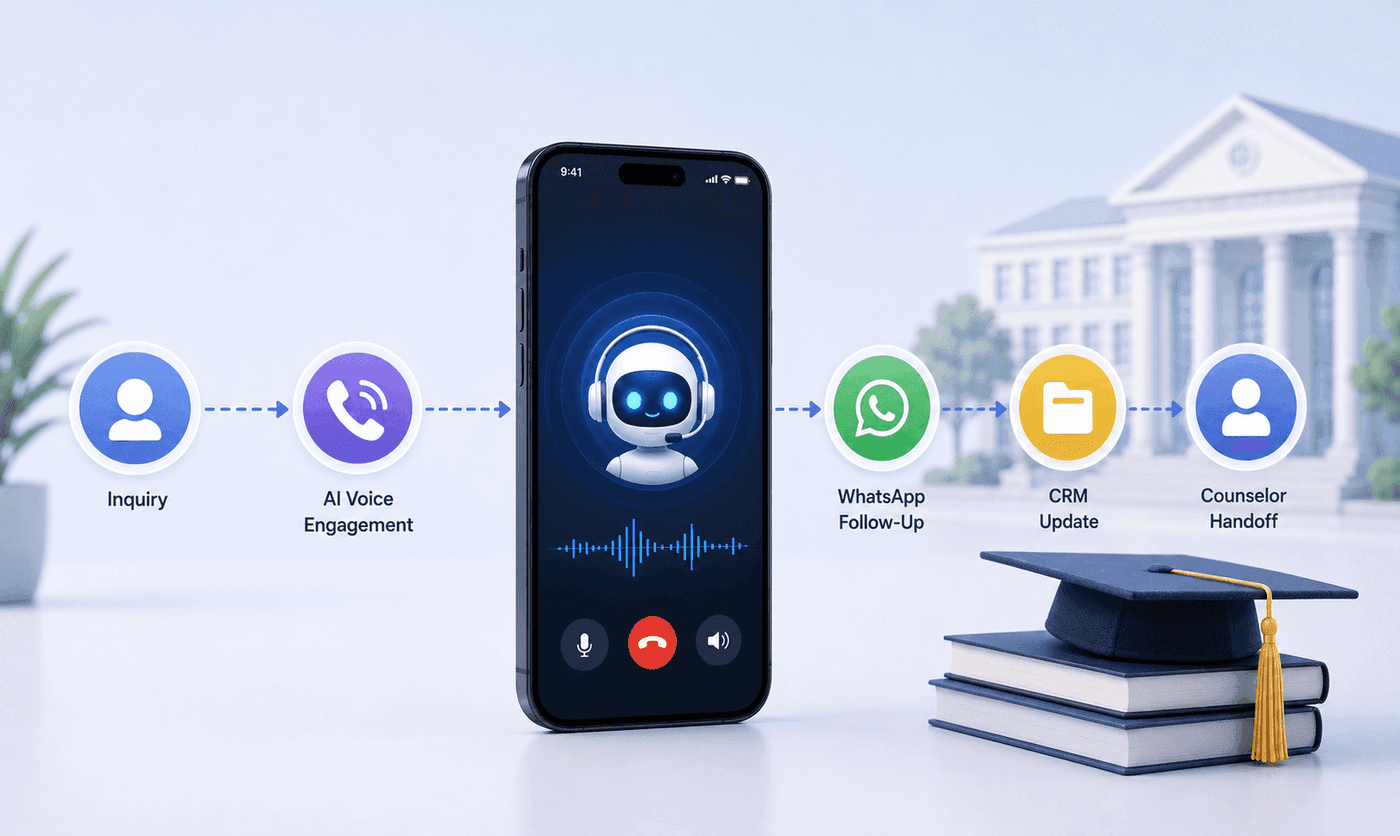
How an Executive Education Institution Automated Its Entire Admissions Workflow Using AI Voice and WhatsApp
How an executive education institution automated admissions from first call to counselor handoff with AI voice, WhatsApp, and CRM syncing.

How an EdTech Founder Reactivated a Dormant Lead Database Using WhatsApp Automation and AI-Assisted Qualification
How an EdTech founder reactivated a dormant inquiry database and acquired customers in week one using WhatsApp outreach and AI qualification.