
Zoho CRM Integration

Connect Zoho CRM to Kipps & Automatically Engage Every New Lead on WhatsApp
Integrate Zoho CRM with Kipps to automatically sync new leads and trigger personalized WhatsApp outreach—without manual exports, spreadsheets, or delays.
This integration ensures that every lead added to Zoho is instantly added to your campaign and engaged automatically.
How to Connect Zoho CRM
1. Go to Integrations
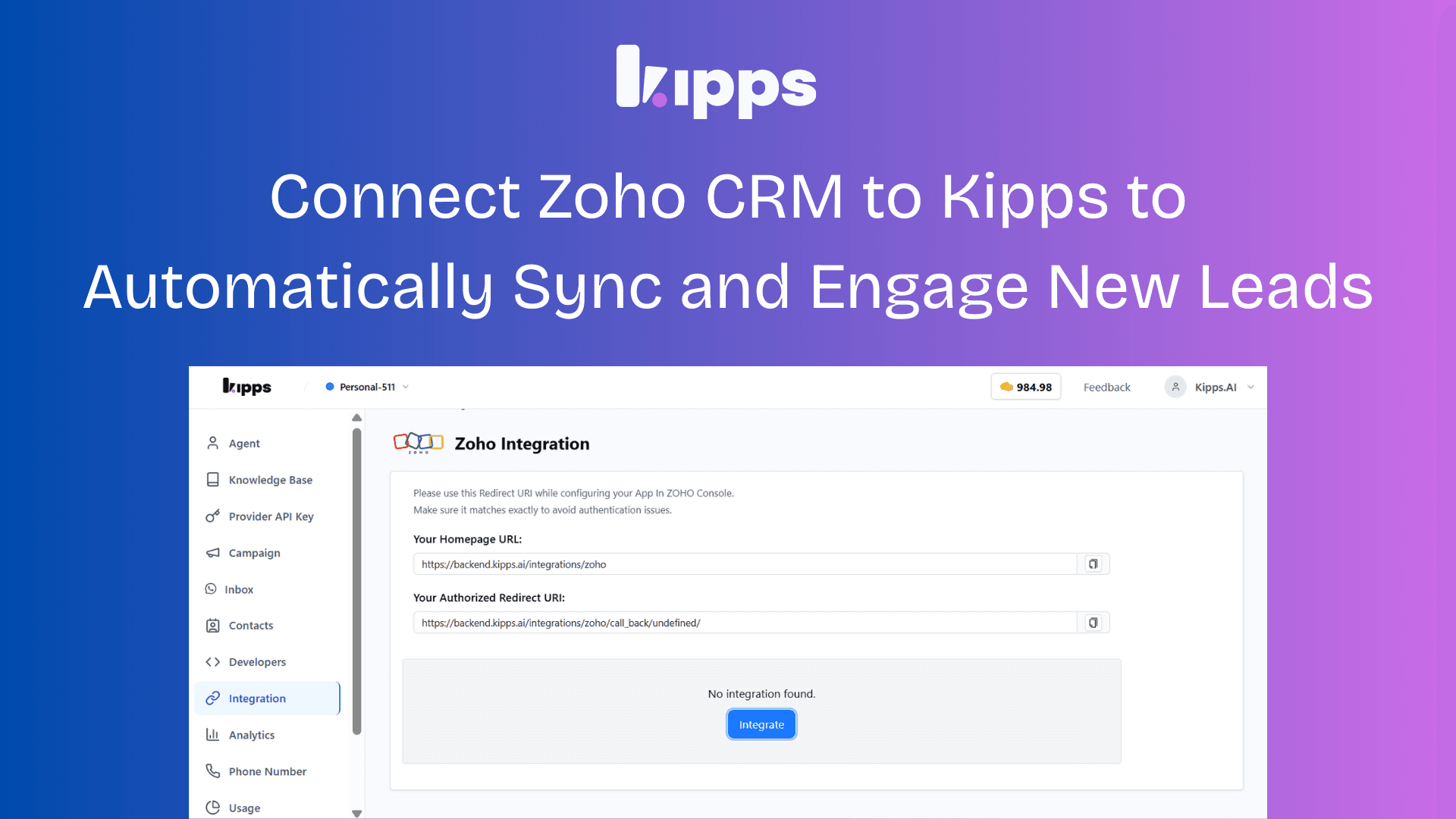
Open the Integrations section from the sidebar in your Kipps dashboard.
2. Add Zoho CRM
Select Zoho CRM and click Add Integration.
3. Enter Your Zoho Credentials
Provide the following details:
- Client ID — from Zoho Developer Console
- Client Secret — from Zoho Developer Console
- Email — your Zoho account email
- Region / Data Center —
IN,US,EU,AU,CN
4. Copy the Redirect URI
After submitting the credentials, Kipps will generate a Redirect URI.
Copy this URI — you’ll need it in the next step.
5. Configure OAuth in Zoho
- Go to the Zoho Developer Console
- Edit your application
- Paste the Redirect URI into the Authorized Redirect URIs section
- Save the changes
6. Authorize Zoho Access
Return to the Kipps integration page and click Login with Zoho.
Complete the OAuth authentication to grant Kipps access to your CRM.
7. Integration Activated
Your Zoho CRM integration is now active.
You can view, edit, or remove the integration anytime from the Integrations page.
Launch Campaigns Using Zoho Leads
Once connected:
- Go to Campaigns
- Create a new campaign or edit an existing one
- Select Zoho CRM as the Audience Source
- Complete the campaign configuration
Automatic Lead Sync & Messaging
Every time a new lead is created in Zoho CRM:
- The lead is automatically synced into your campaign
- Kipps triggers a WhatsApp message instantly
- Your outreach begins without any manual action
Why This Matters for Your Business
Automated Lead Capture
New Zoho leads are instantly added to campaigns — eliminating manual imports.
Faster Lead Response
Automated WhatsApp outreach ensures leads are contacted within seconds, increasing response and conversion rates.
Operational Efficiency
Sales and marketing teams no longer need to manually move data between systems.
Secure Integration
OAuth-based authentication ensures secure and compliant data access.
Full Visibility
Manage, monitor, or disconnect your Zoho integration directly from the dashboard.
Example Workflow
- Connect Zoho CRM in Integrations
- Authorize OAuth via Zoho
- Create a campaign using Zoho as the lead source
- A new lead is added in Zoho
- Kipps automatically sends a WhatsApp message to the lead
Important Notes
-
Ensure your Zoho app has the following scopes enabled: ZohoCRM.modules.ALL ZohoCRM.settings.ALL
-
Supported Zoho data centers: IN, US, EU, AU, CN
-
You can update or remove the integration anytime.
Result
Your CRM becomes a real-time outreach engine where every new lead is automatically contacted the moment they enter your pipeline.
Ready to try these new features?
Experience the latest improvements and see how they can enhance your workflow. Get started today or learn more about what's coming next.